 Nightfall AI
Twilight
Design System
I co-created the shared components and interaction rules behind Nightfall’s onboarding, policy creation and security dashboards.
Overview
- The problem
- Teams rebuilt the same controls differently across Nightfall’s products, creating inconsistent behavior and repeated work.
- My responsibility
- One of Nightfall’s first two designers. I co-led the foundations, components, documentation and rollout with engineering, starting in 2022.
- The key decision
- Define shared behavior and component states alongside the visual foundations, with Figma and coded counterparts.
- What changed
- Onboarding, policy creation and dashboard alerts adopted a shared system. Teams could reuse documented patterns across product surfaces.
Cross-functional influence
I worked with engineering on coded counterparts and a shared source of truth, then used documentation and rollout to make adoption independent of the original designers. Within a quarter, the system supported onboarding, policy creation and dashboard alerts. Its value came from changing how teams delivered the product, as well as how the interfaces looked.
Impact
connected workflows: onboarding, policy creation and dashboard alerts adopted the shared foundations.
to adoption — within a quarter Twilight was powering onboarding, policy creation and dashboard alerts.
source of truth for design and engineering — engineers implemented interfaces with minimal back-and-forth.
Twilight became a product foundation, not a button set.
1 The cost of no system
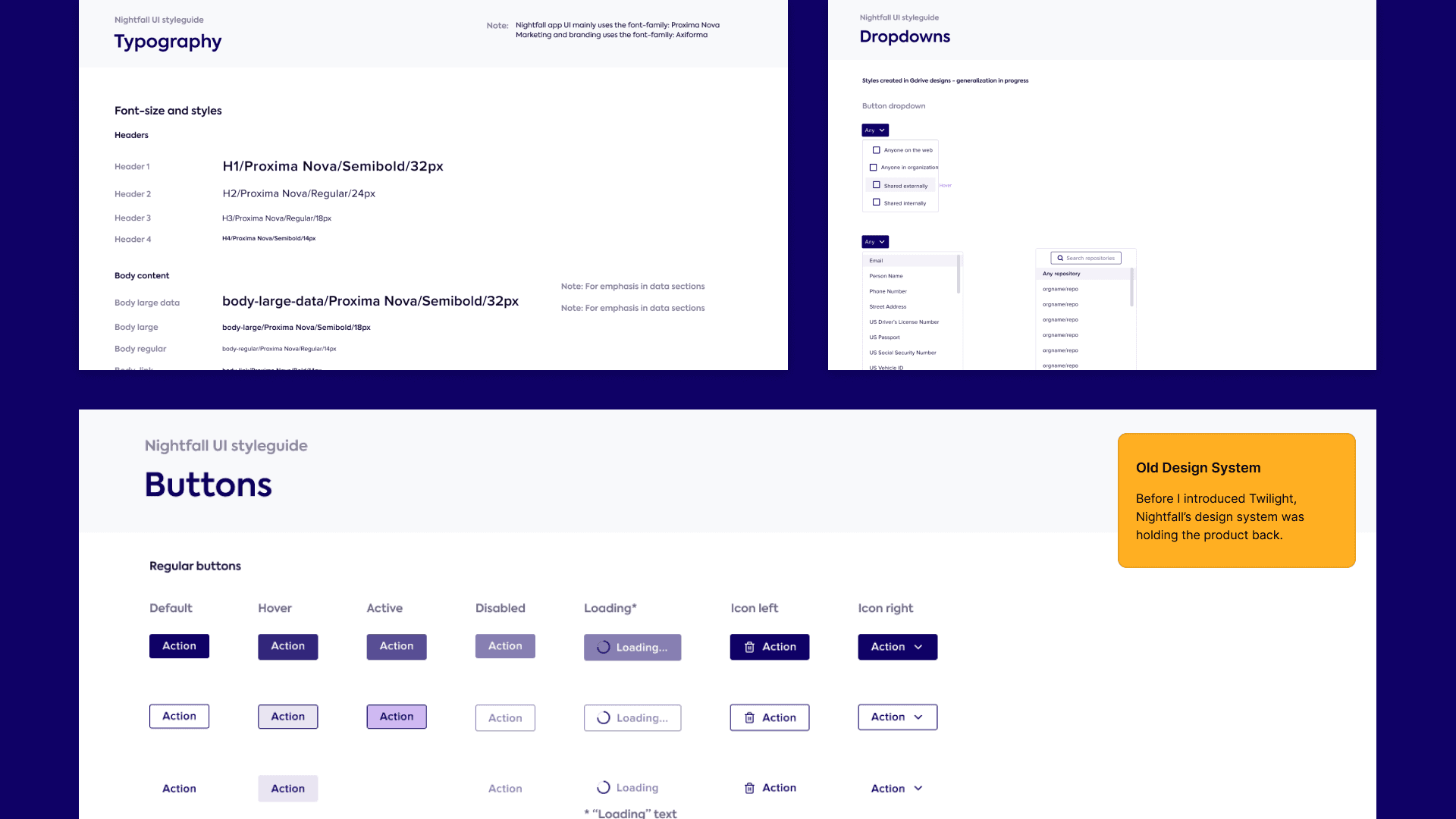
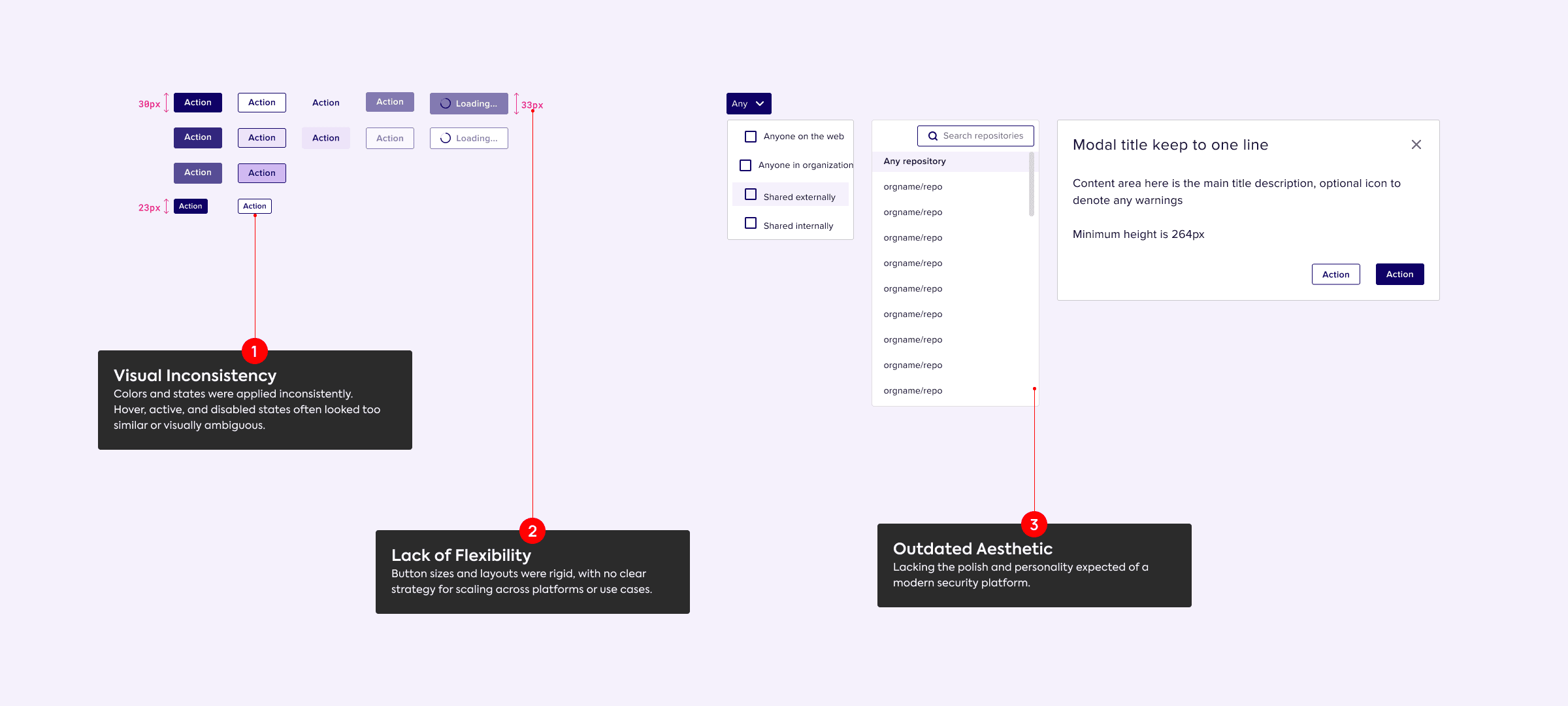
What began as a patchwork of outsourced decisions had become a bottleneck. It slowed delivery, confused users, and added design debt with every release:
No single source of truth
Designers and engineers rebuilt the same UI patterns from scratch.
An inconsistent experience
Visual and interaction differences created friction for the people using the product.
Slow time to market
Every new feature paid for redundant design and engineering work.
A risk that grew with the product
As Nightfall's suite grew, so did the cost of keeping its quality.
2 How we built it
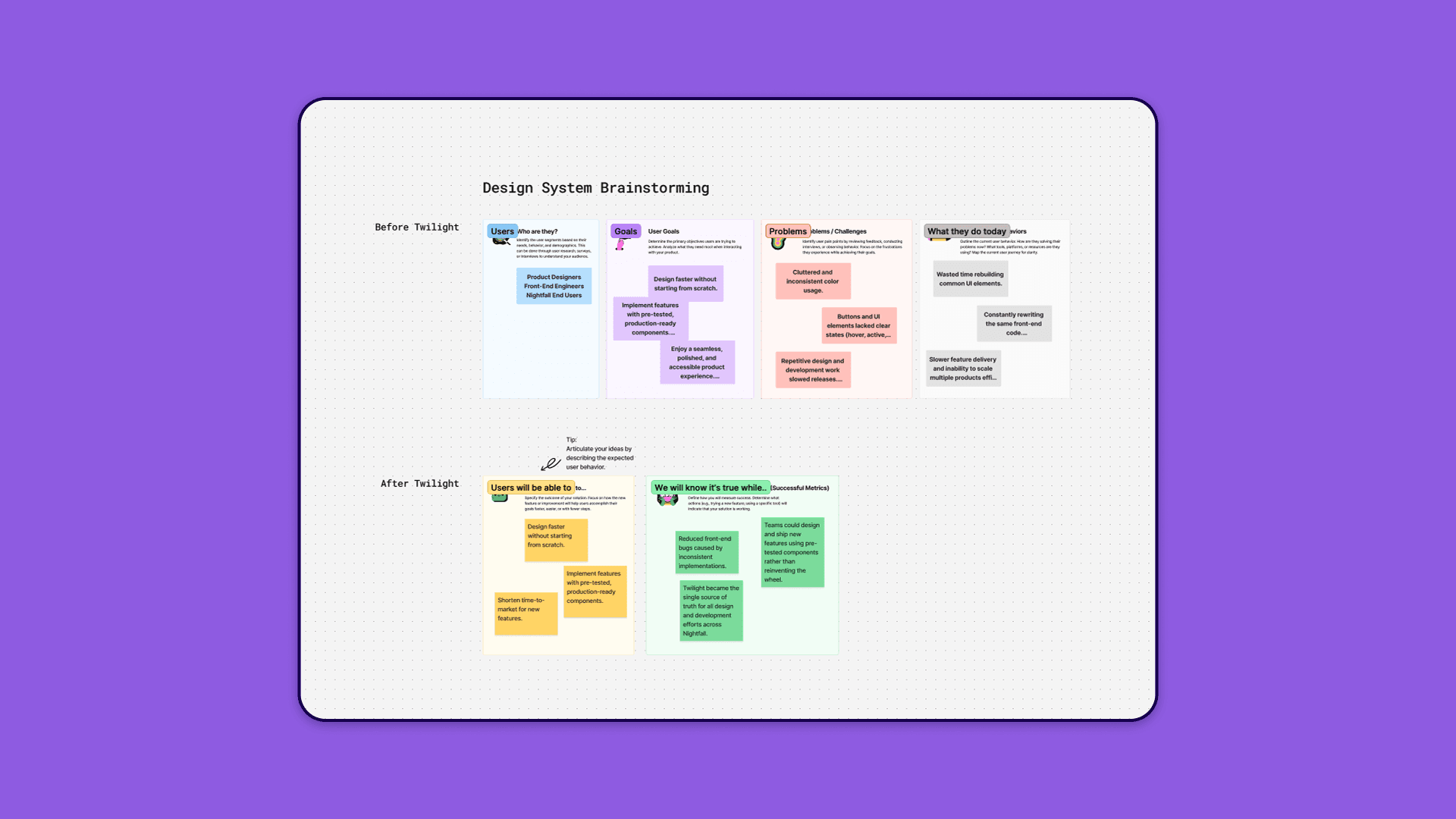
Listen
User research and stakeholder interviews located the usability pain points and the inefficiencies in our design-to-development pipeline.
Audit
We audited every UI pattern across Nightfall's products to find the redundancies and inconsistencies — the evidence for what the system had to fix first.
Build
We built the core components from scratch in Figma, each production-ready and paired with a coded counterpart for engineering.
The first release took about three months. We applied the same components across onboarding, policy creation and alerts, with Figma and Storybook documentation beside the working patterns.
Listen
Audit
Build
3 The Twilight system
The audit made it clear: inconsistent patterns, duplicated work and accessibility gaps were slowing every team. Twilight answered with one unified, scalable and accessible foundation — cleaner handoffs, a consistent brand, and faster, more cohesive releases.
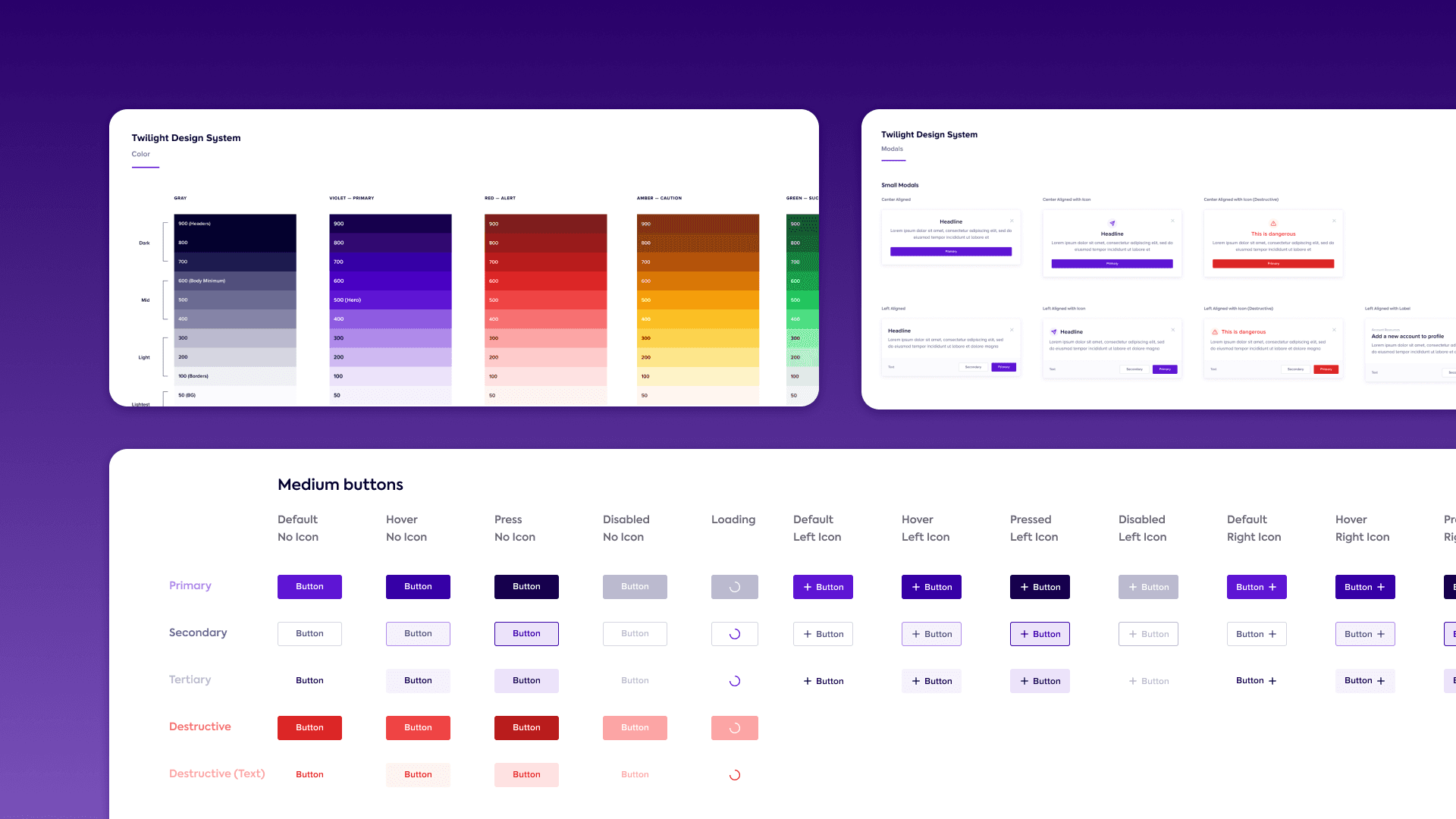
colour ramps, 60 tokens
button variants
text-field variants
icons (Lucide-based)
A colour system built on roles
Colour is assigned by role — primary, secondary, alert, caution and success — so teams pick the right tone for the job, not a hex value. The role defines the meaning; contrast still needs to be checked for the foreground and background pairing in use. We started from Google's Material palette and reworked it into Nightfall's own voice.
Colour tokens
6 ramps × 10 steps, by role · hover for contrast, click to copy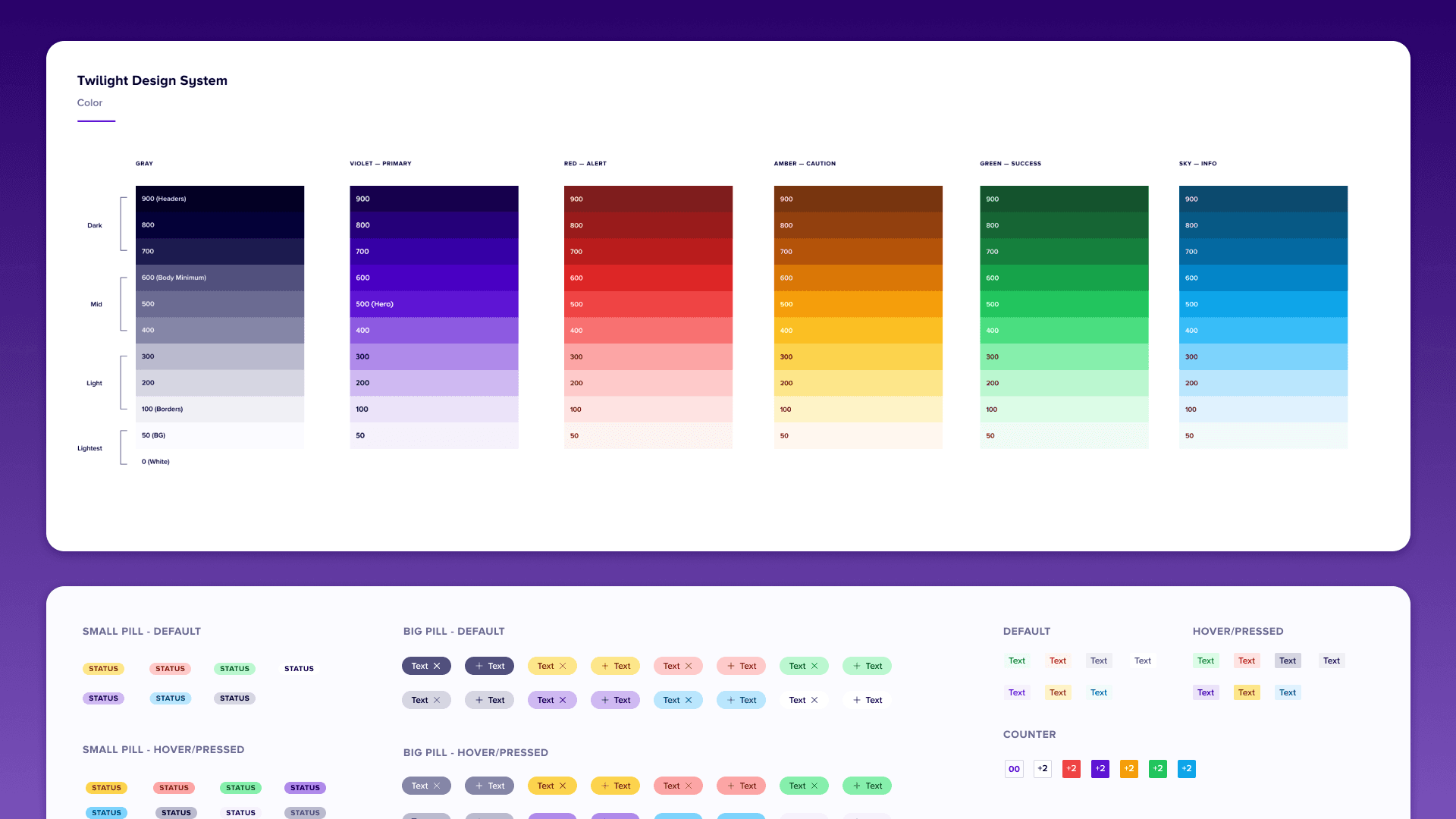
Components with every state designed
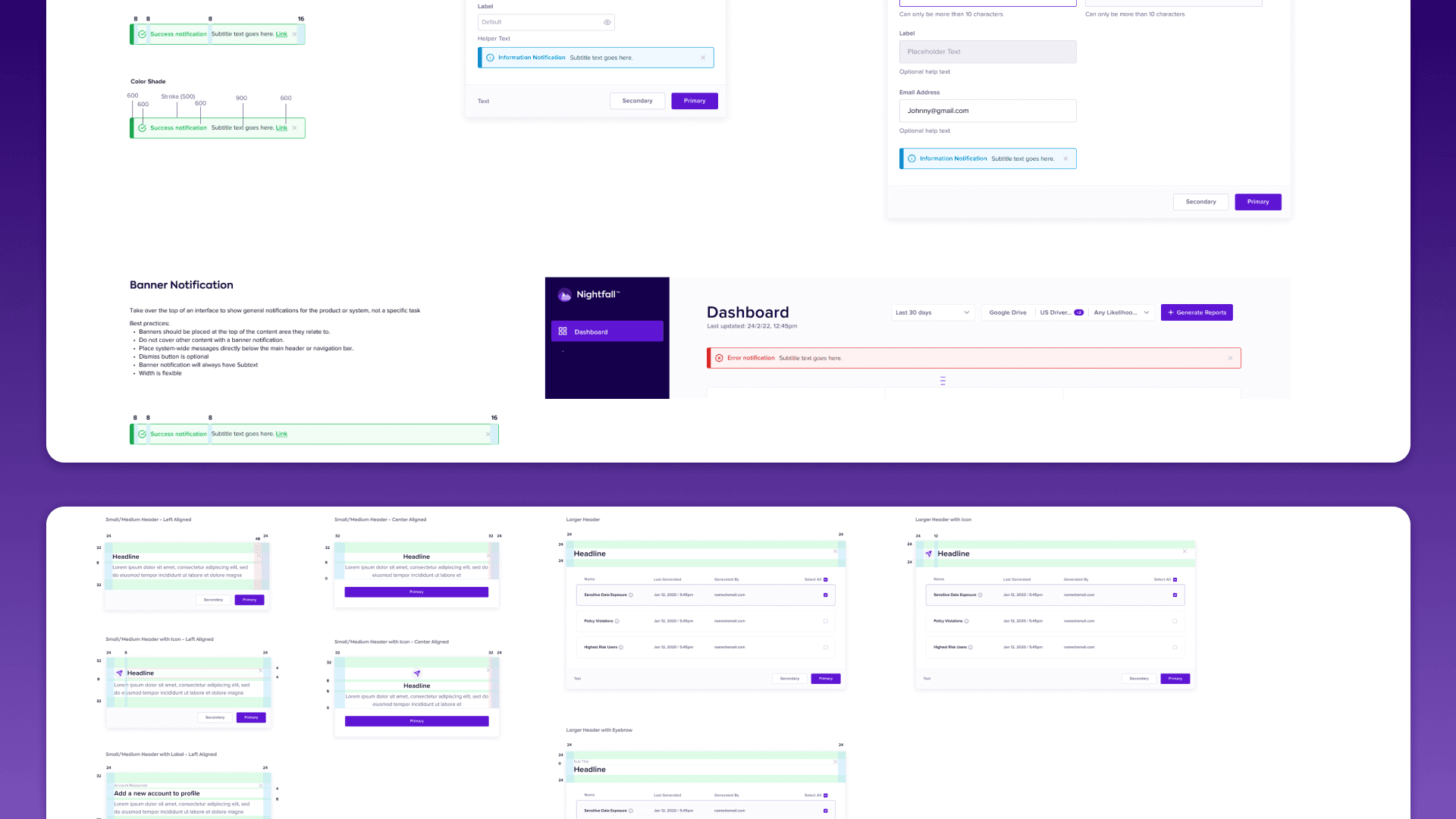
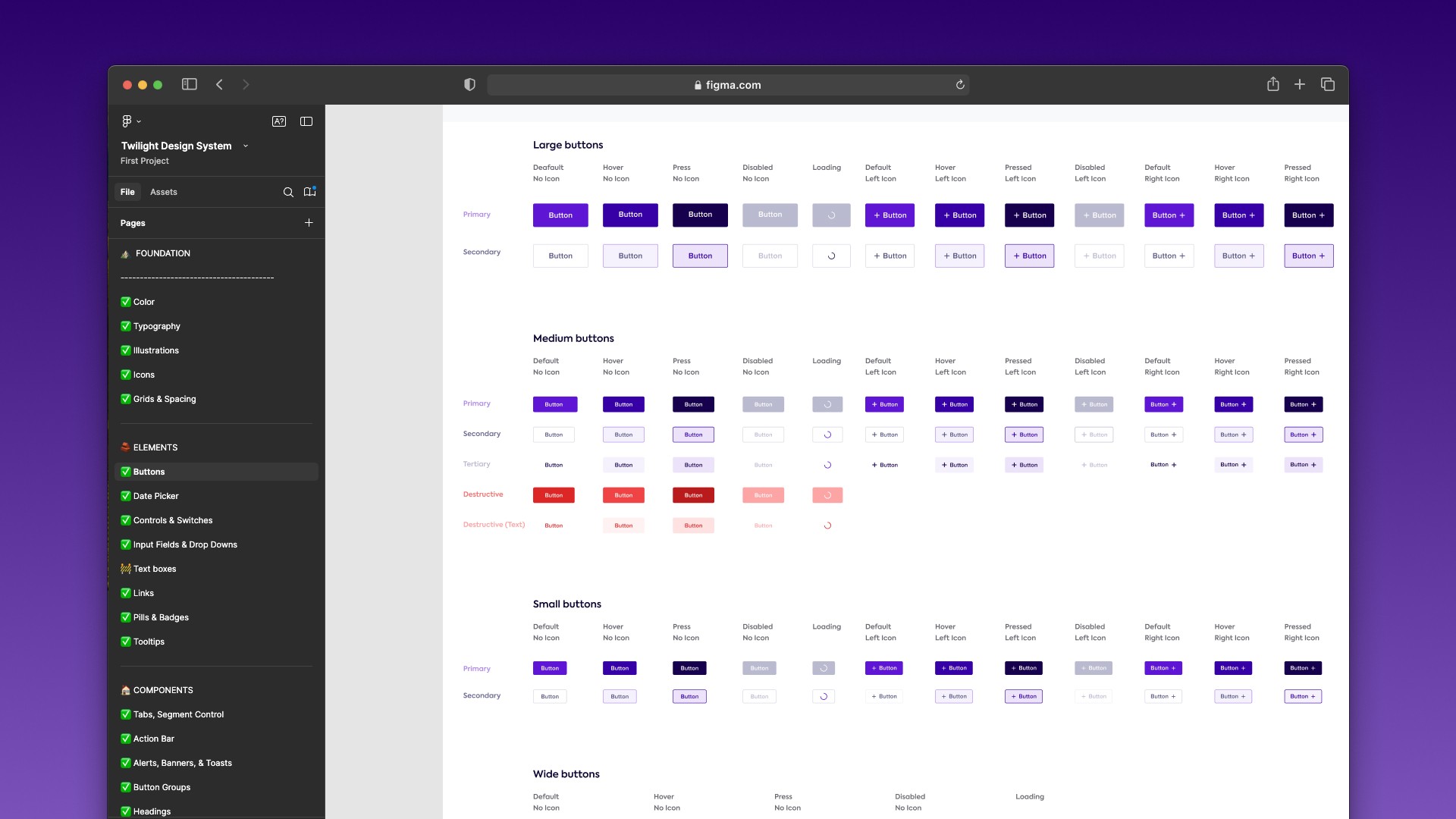
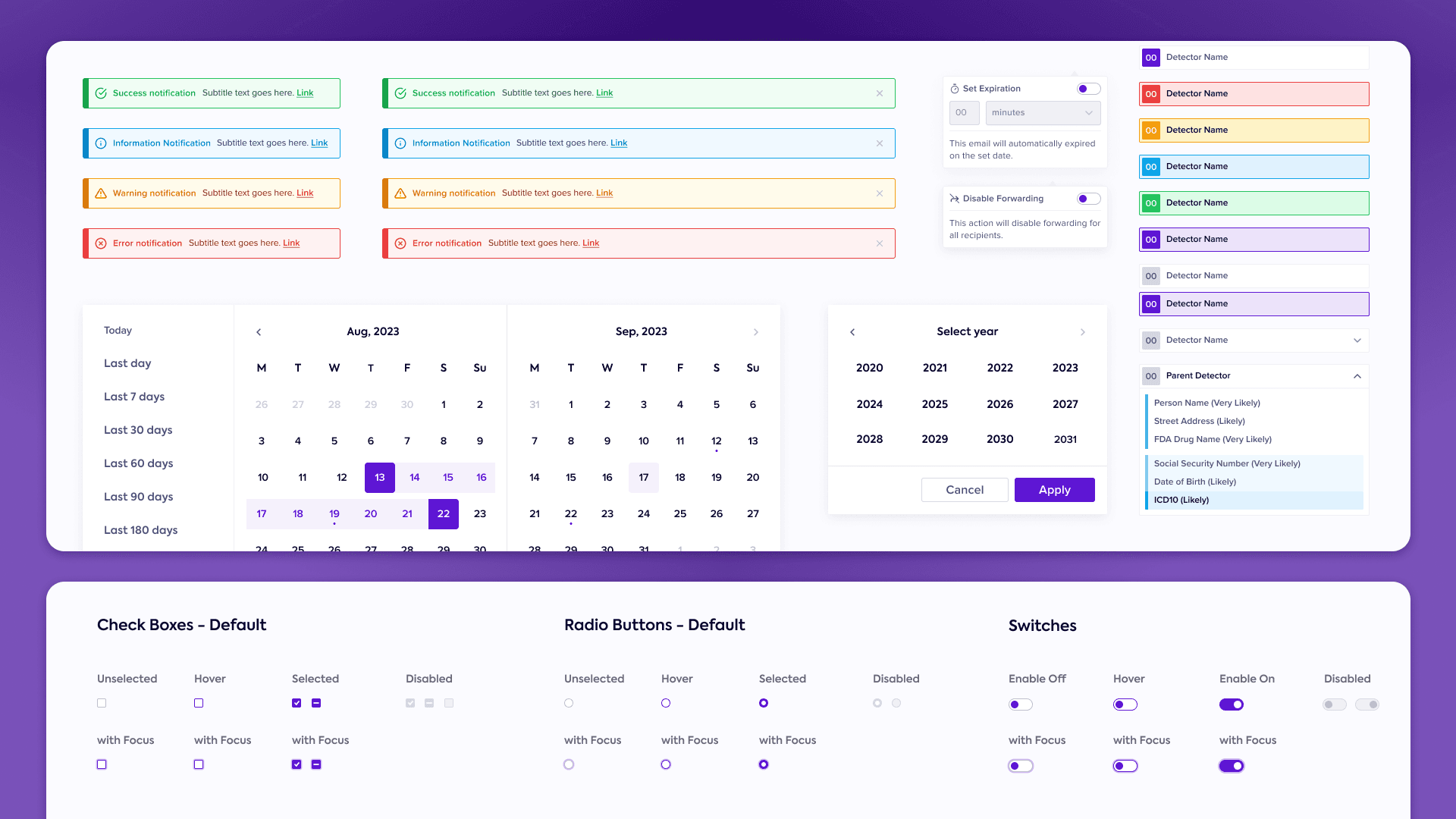
Buttons, modals, dropdowns, icons and status indicators were standardised, each with its states — default, hover, active, disabled, loading — defined rather than improvised. That took the guesswork out of the handoff and made design-to-development predictable.
The workbench
Twilight's components, live — built to the values in the Figma filePrimary comes in Large, Medium, Small, Wide; loading has no icon.
- Height
- 32px
- Padding
- 10 / 24
- Radius
- 3px
- Label
- Label/Title/Small 12/12 · White · #FFFFFF
- Fill
- Violet/500 · #5E15D4
- Border
- None
Living documentation in Figma and Storybook made Twilight self-serve: teams could use it, and extend it, without waiting on us.
One language across products
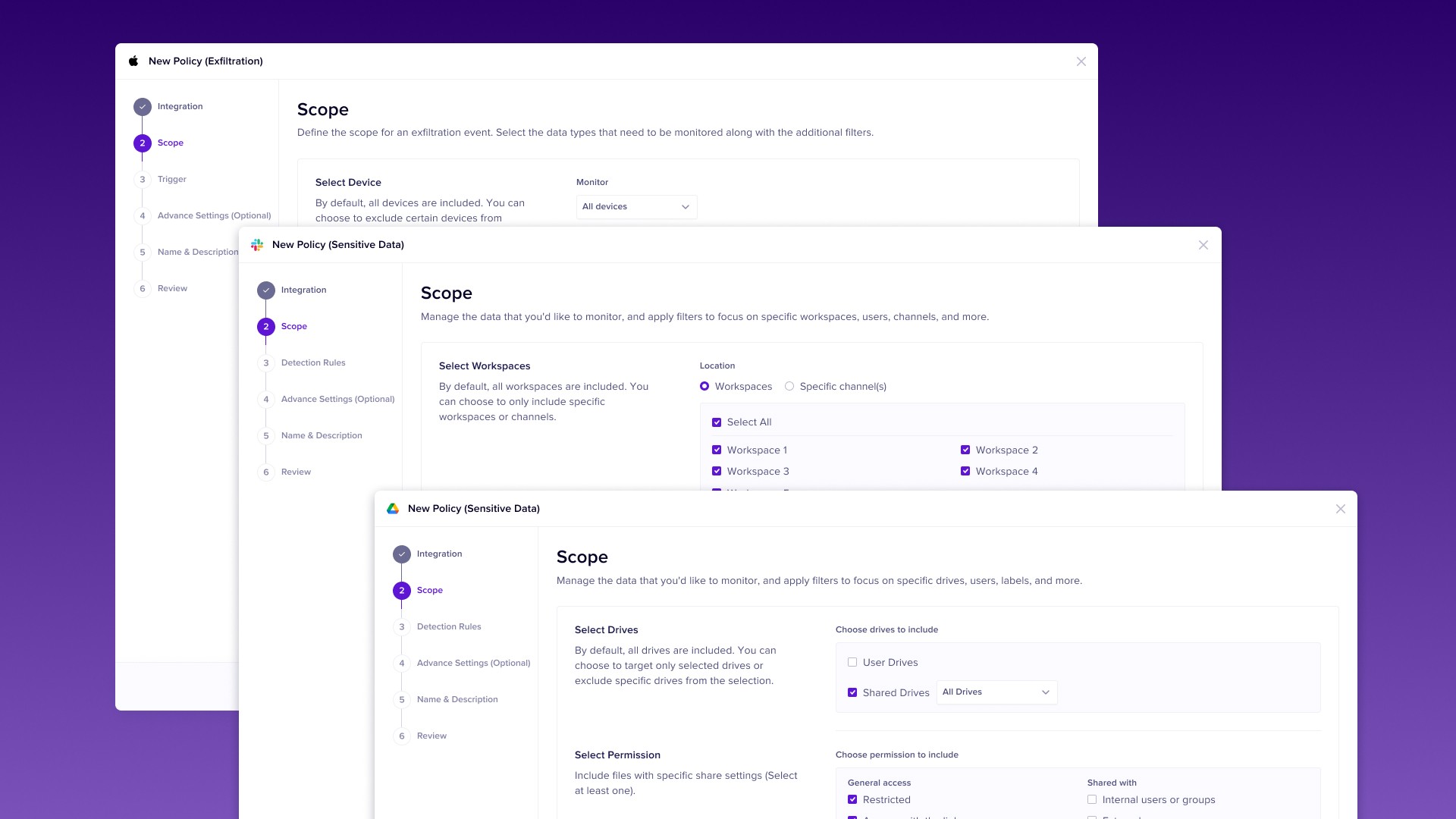
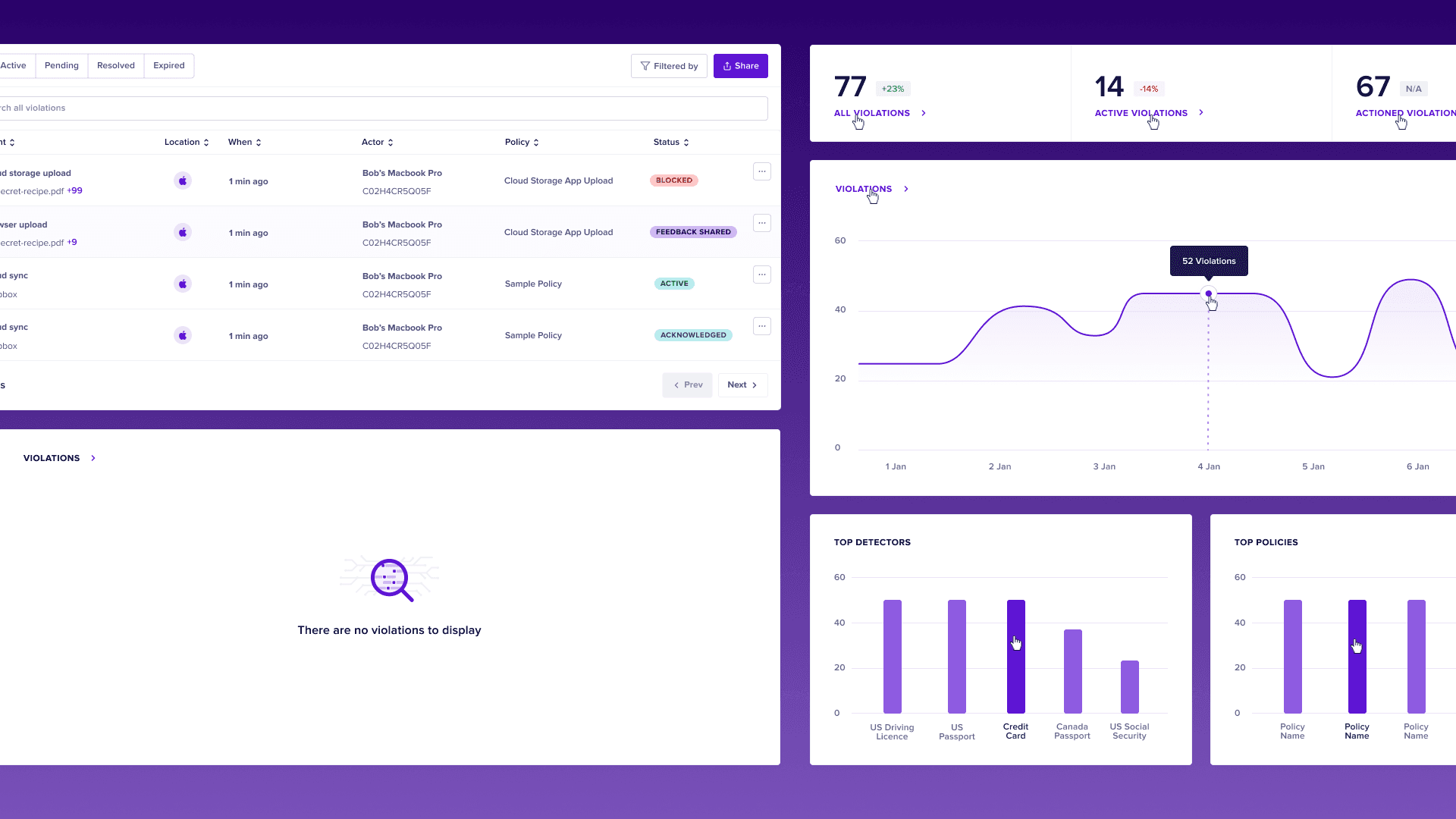
Twilight works across Nightfall's web apps, SaaS dashboards and internal tools. Teams can start from shared components and interaction patterns, then adapt and validate them for each product’s requirements.
4 Before and after
A shared system still has to answer a product question. These two changes show how component rules changed the task, beyond its appearance.
Alerts you can read at a glance
The existing plus and minus buttons made an on/off decision look like adding or removing something. I replaced them with a switch so the current state and the available action were visible together. That behavior could then be reused wherever a setting was enabled or disabled.
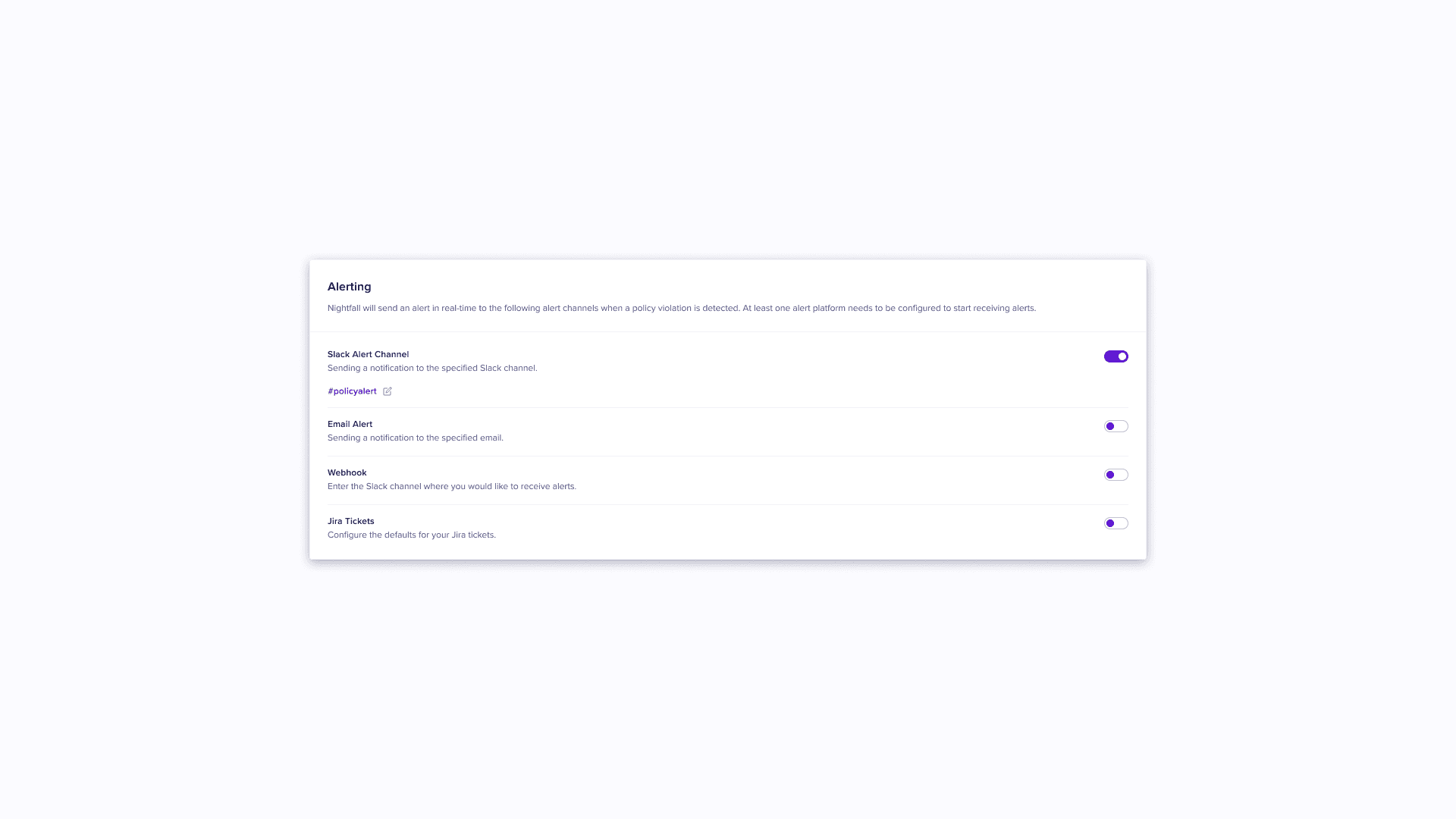
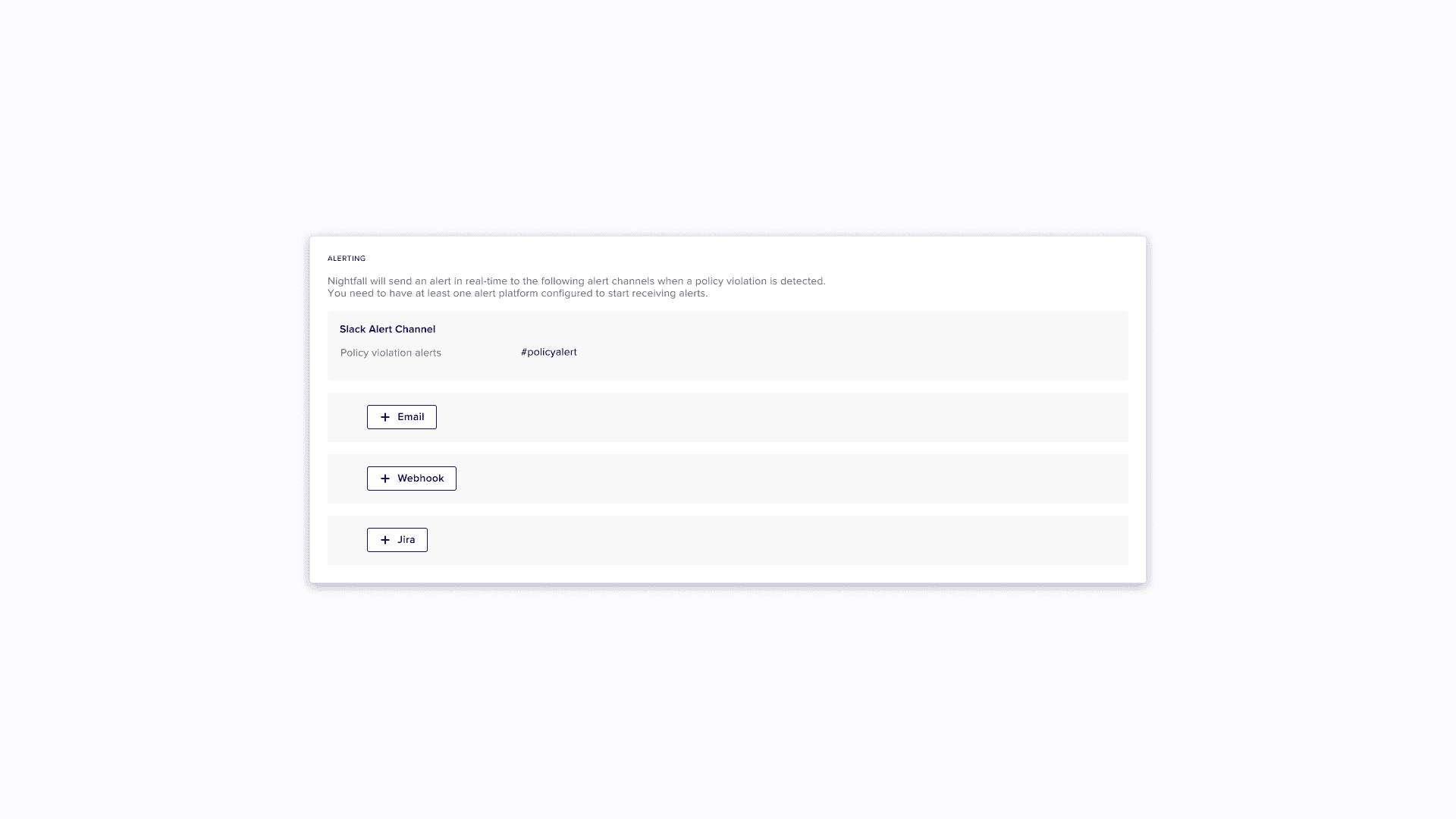 BeforeAfter
Setup in steps, not a wall of text
Setup flows were dense pages of text that made it hard to focus. Twilight broke them into clear steps, so people move forward without feeling overwhelmed.
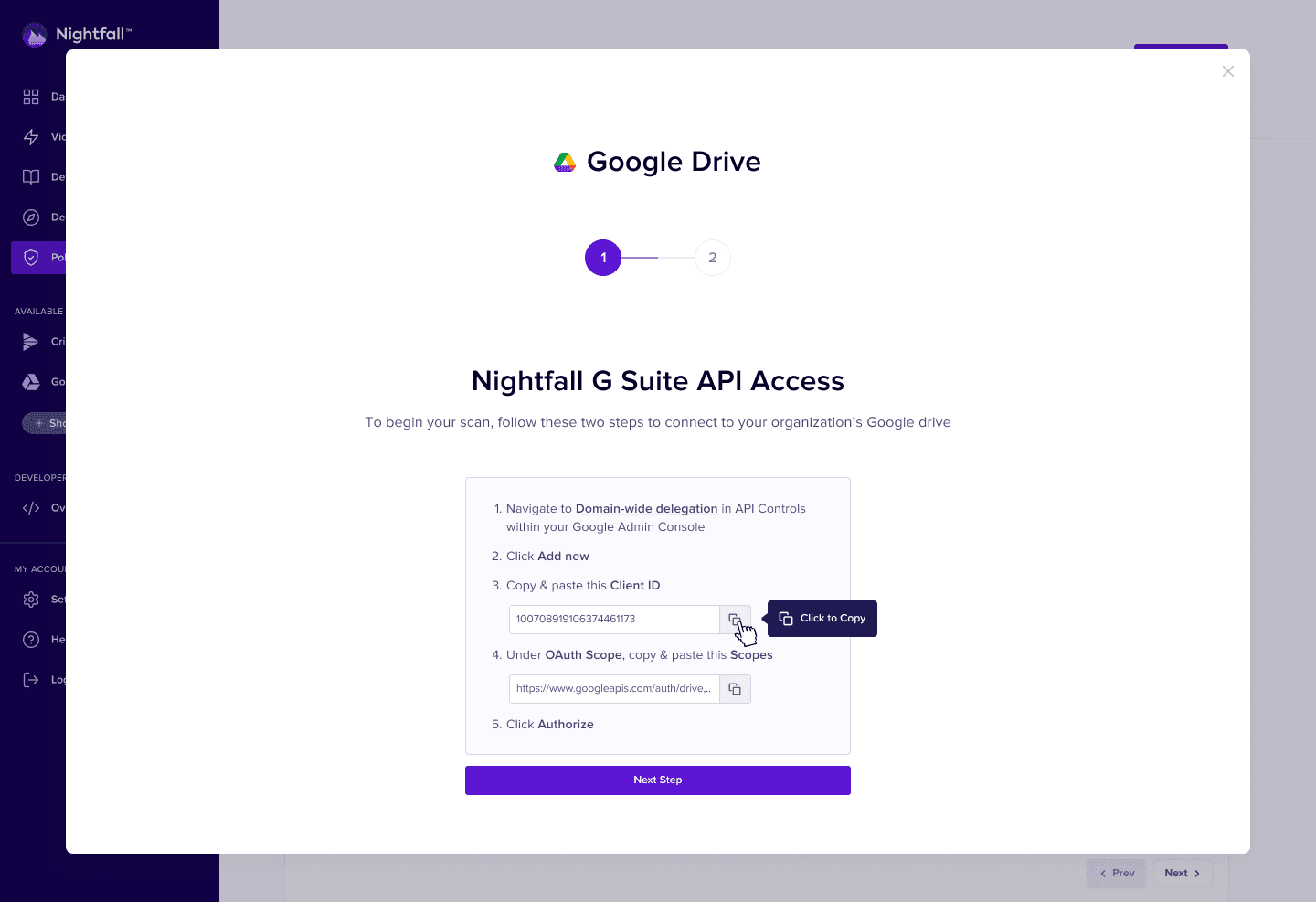
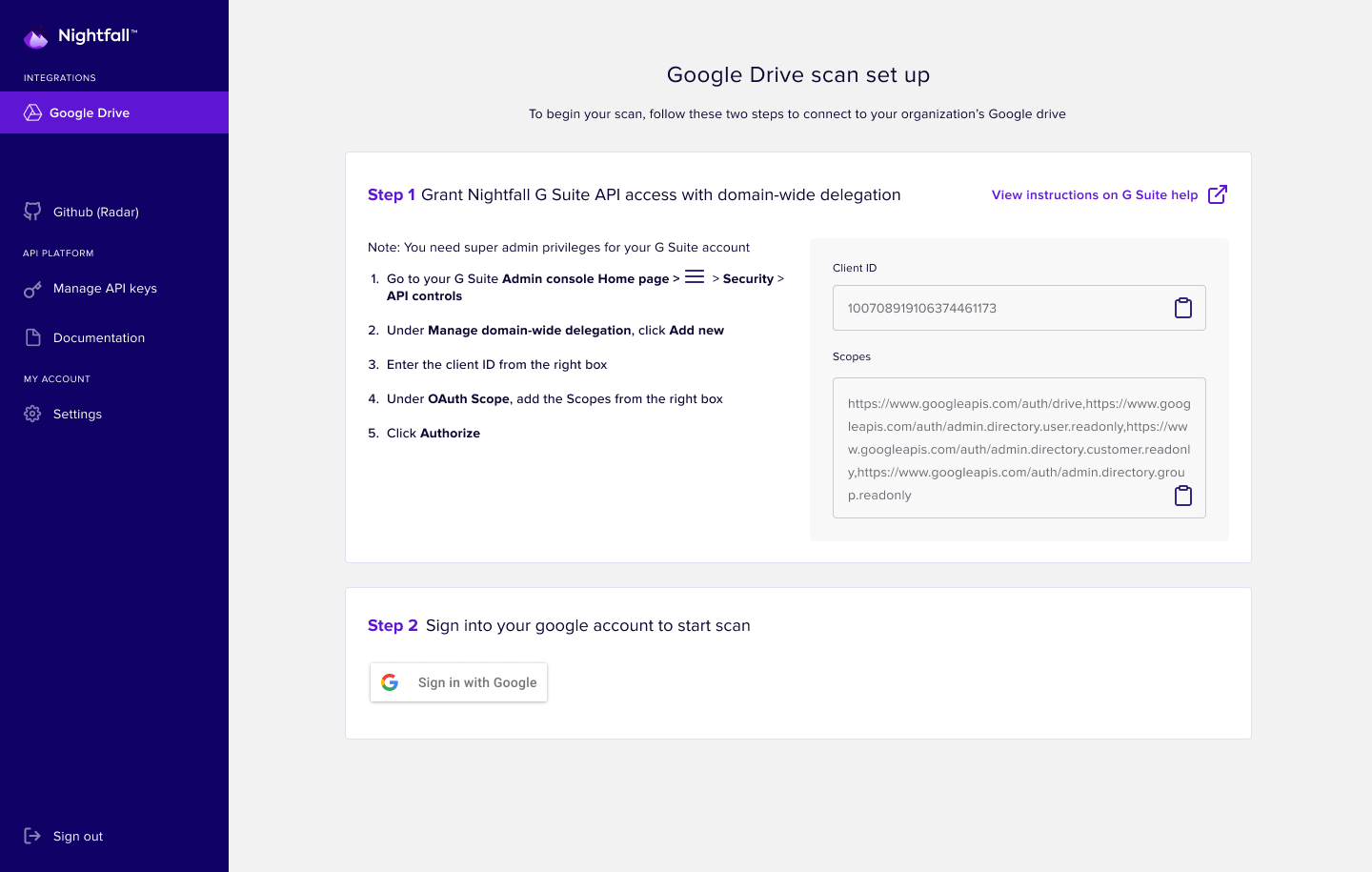 BeforeAfter
5 Twilight at work
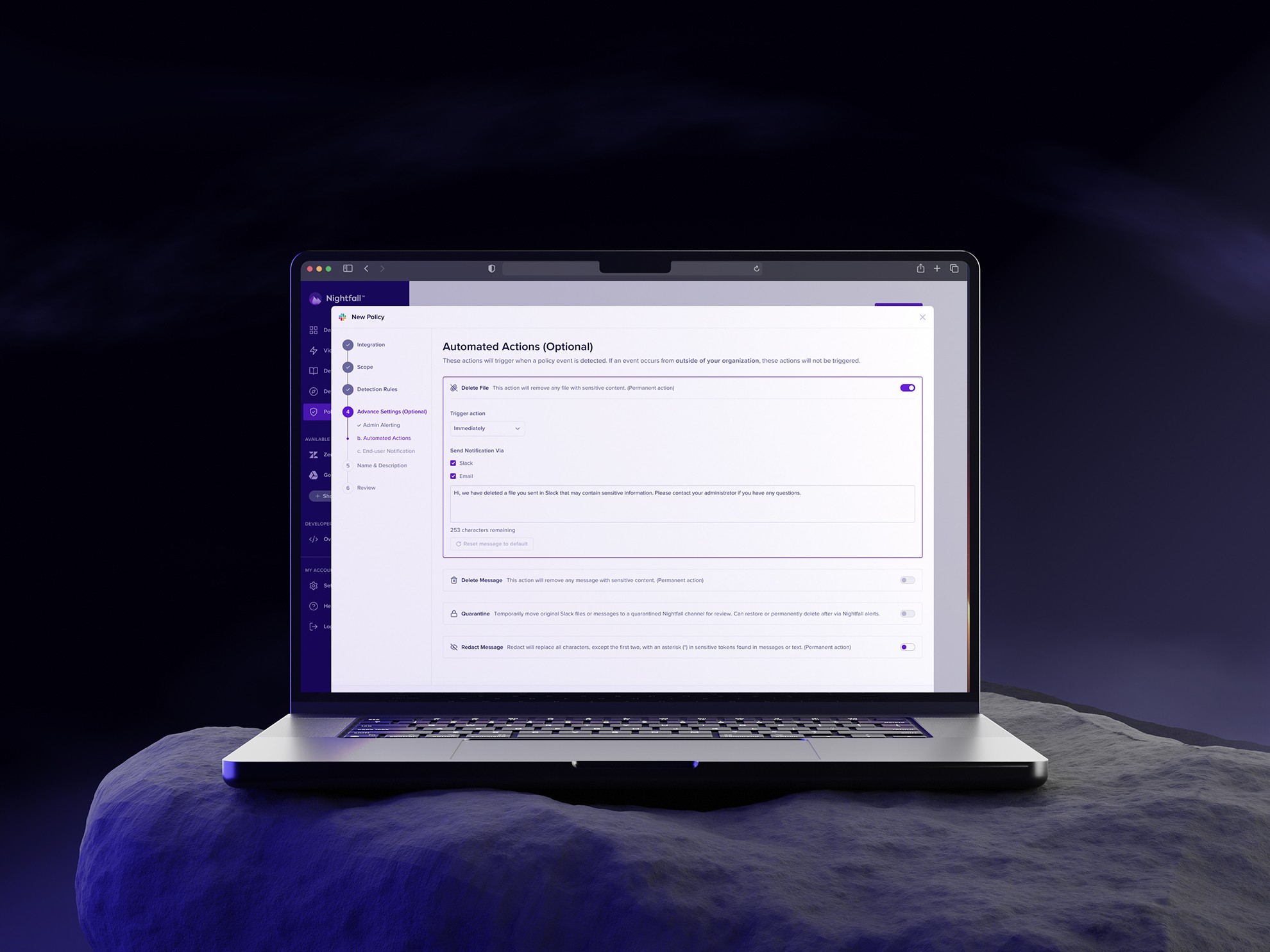
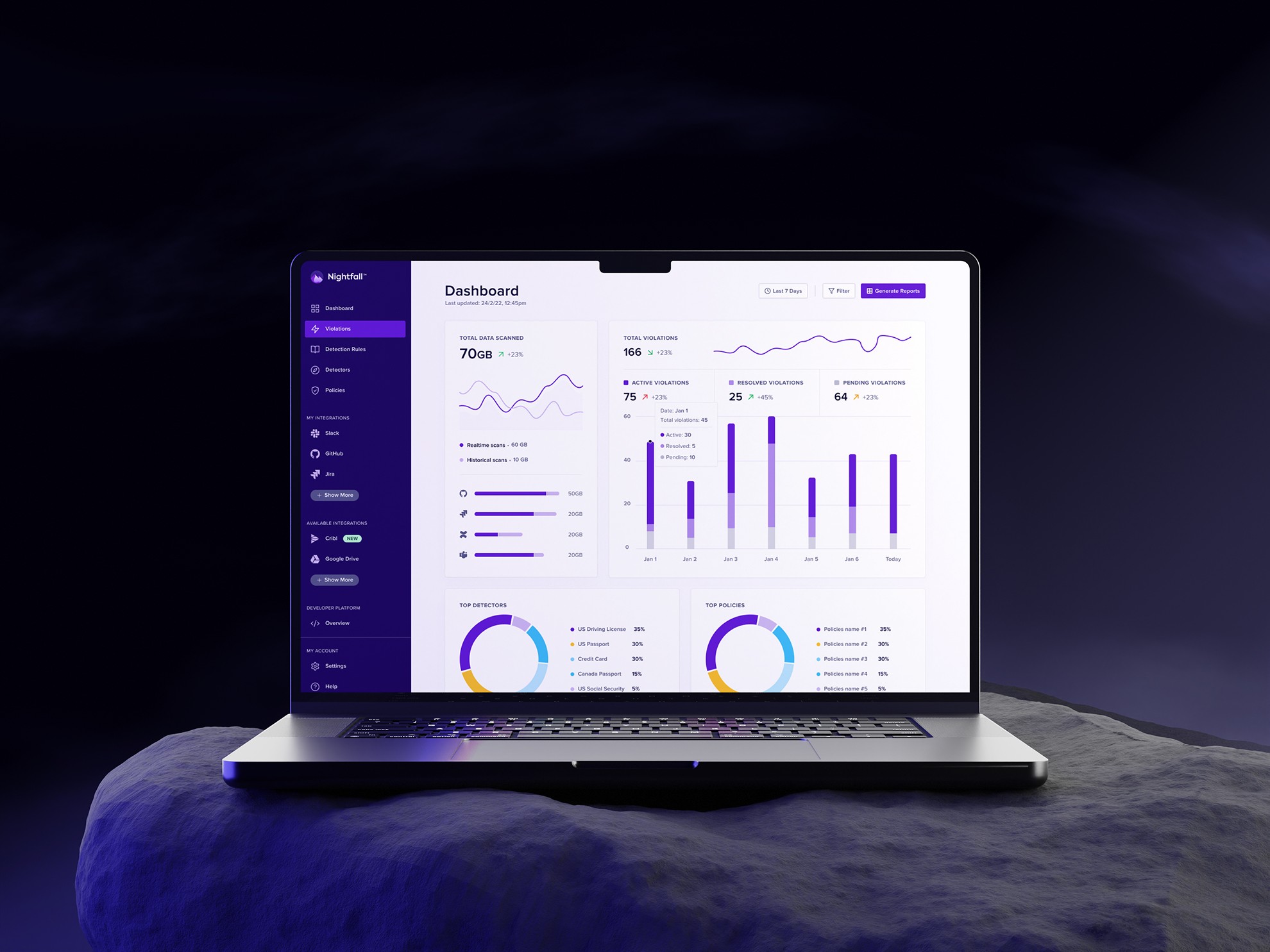
A glimpse of the system in the product.
Takeaways
Twilight became the single source of truth for design and engineering at Nightfall. Designers stopped reinventing components, engineers shipped pre-tested, production-ready patterns, and the products finally looked and felt like one.
The first release took about three months. The durable contribution was a shared set of rules that teams could inspect and reuse, with documentation alongside the components. Measuring delivery time consistently would make the impact easier to evaluate in future.
Nam Dang
Senior Product Designer