 Trip.com GroupOngoing
Four add-ons.
One system.
Protection, flexibility, a meal, a place to relax.
Bringing the extras into one considered journey.
Overview
- The problem
- Four optional services ask different questions during booking. Travellers need a consistent way to understand, select and edit them.
- My responsibility
- Senior Product Designer at Trip.com, owning direction and interaction design across AirHelp, TripFlex, meals and lounges on app and mobile web.
- The key decision
- Share the discover → select → summary structure, while letting meals retain choices for each traveller and flight.
- Current status
- Ongoing design explorations. This case shows the shared rules and prototypes; business outcomes and detailed testing are not public.
This project is still in progress, so I prefer not to share too much yet. I’ve included selected explorations and high-level design thinking. Detailed strategy, testing and outcomes remain private.
1 Four services, different decisions
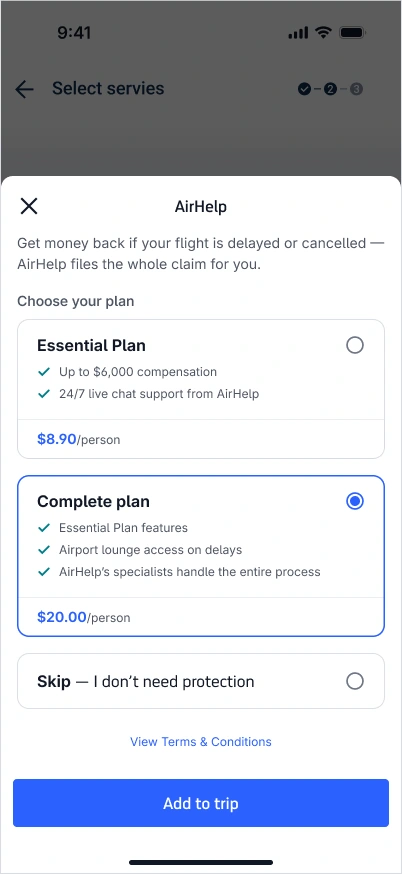
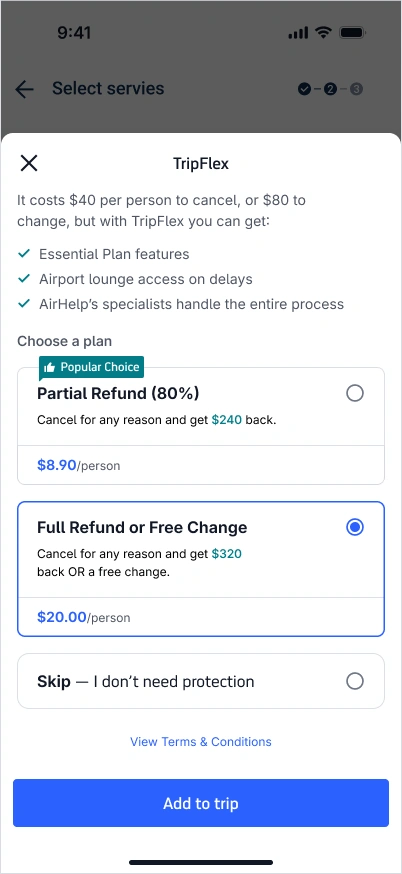
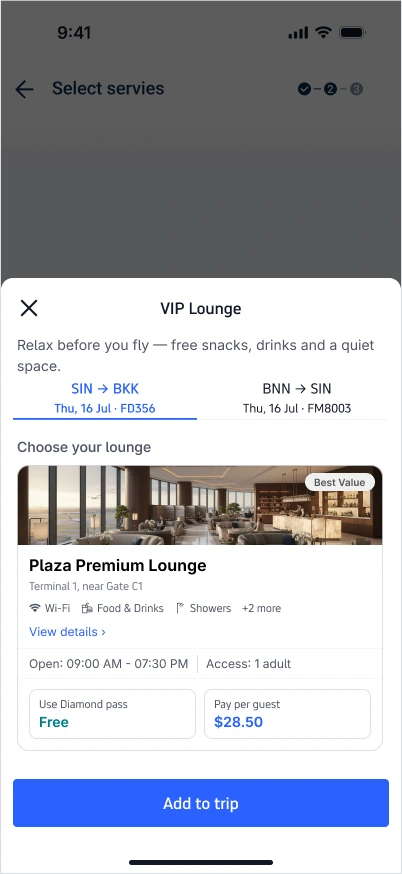
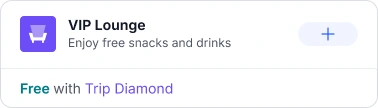
The starting point is the decision each service asks someone to make. AirHelp and TripFlex need a comparison between plans. Meals need a selection for each traveller and flight. A lounge needs enough context to understand the place and the available access.
My focus is where the system should be consistent, and where it needs to adapt. A common structure can make the page familiar. The content inside it still has to explain the service.
From $8.90/person
From $8.90/person
From $8.90/person
Free with Trip Diamond
Setting the hierarchy
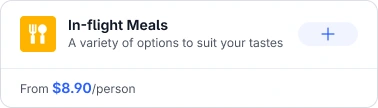
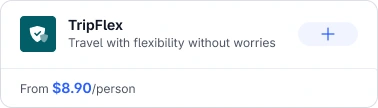
The exploration gives one service room to explain its value, with the remaining services in compact cards. Each compact card keeps the service name, a short benefit and a visible way to add it.
This is a product-level decision as much as a layout decision: how much space each offer needs, what stays on the overview, and what belongs inside the selection flow.
2 A structure that can adapt
The shared flow is simple: discover a service, make a choice, return to a summary. I’m designing the entry cards and selection sheets together so each step feels connected to the last.
Choose a service below. The frame stays familiar while the content changes to fit the task.
The shared pattern
Choose a service, then inspect its entry or selection.Get compensated if your flight is delayed, cancelled, or disrupted.
- Up to $6,000 compensation
- 24/7 live chat support
- Specialists handle the entire process
From $8.90/person
Add to tripWhat happens if my flight is disrupted?
A common card structure makes the price and the included benefits easy to compare. The option to skip stays visible alongside the plans.
- Entry
- Service, benefit and starting price
- Choice
- Compare benefits and choose a plan.
- Return
- A summary with a way back to editing
What the system shares
A recognisable service header. A clear set of options. A price near the decision. An action that returns the traveller to the booking with a useful summary.
The work is in the exceptions too. A meal can be added more than once. A lounge may be included with a membership. A protection plan can be skipped. Those differences need to stay visible inside the common pattern.
3 Working through the selection
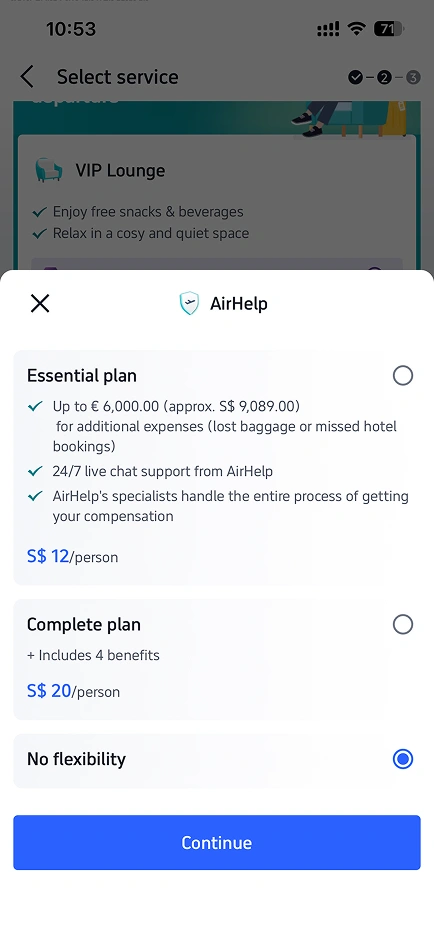
AirHelp is a useful place to examine the reading order. The earlier screen places different amounts of detail in each plan. The exploration brings the benefits and price into each option, and makes skipping protection an explicit choice.
The side-by-side view is part of the design process. The direction is still being refined.
A decision you can revisit
This small prototype follows the same sequence: open the card, select a plan and confirm. You can then inspect the summary, expand the benefits or edit the choice, including skipping protection.
Try the plan selector
Choose a plan, confirm it, then try changing your mind.
- 1Discover
- 2Choose
- 3Review
A concise benefit and a clear entry point.
Interactive study with illustrative prices and benefits.
AirHelp
Flight disruption protection
Get support if your flight is delayed, cancelled or disrupted.
- Help with the claim process
- Support when you need it
From $8.90 / person
More for your trip
4 When the task needs more
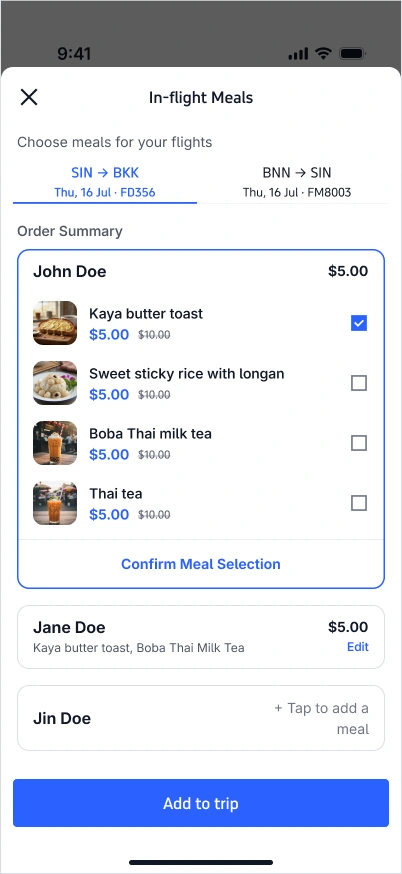
Meals add another layer: the choice belongs to a person on a particular flight. A single selected state is no longer enough.
I’m exploring a flow that lets someone edit an individual traveller’s order and return to an overview of everyone’s choices. The prototype below isolates that behaviour. The source screens also explore switching between flights.
Kaya butter toast
$5.00
Sweet sticky rice
$5.00

Milk tea
$5.80
Choices stay with each traveller
Add a meal, switch travellers, then review. The selection stays with the person it belongs to.
No meals selected
No meals selected
Interactive study with sample prices.
Imagery that helps the choice
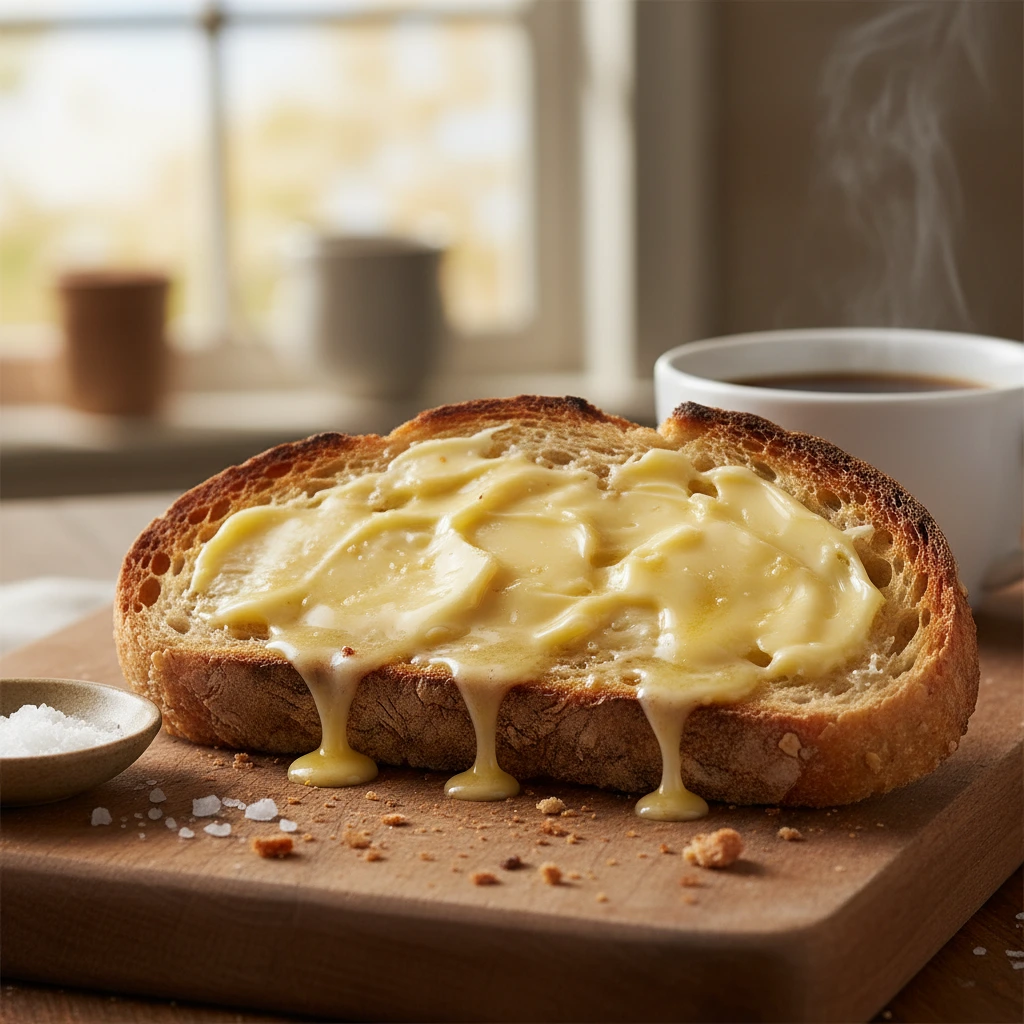
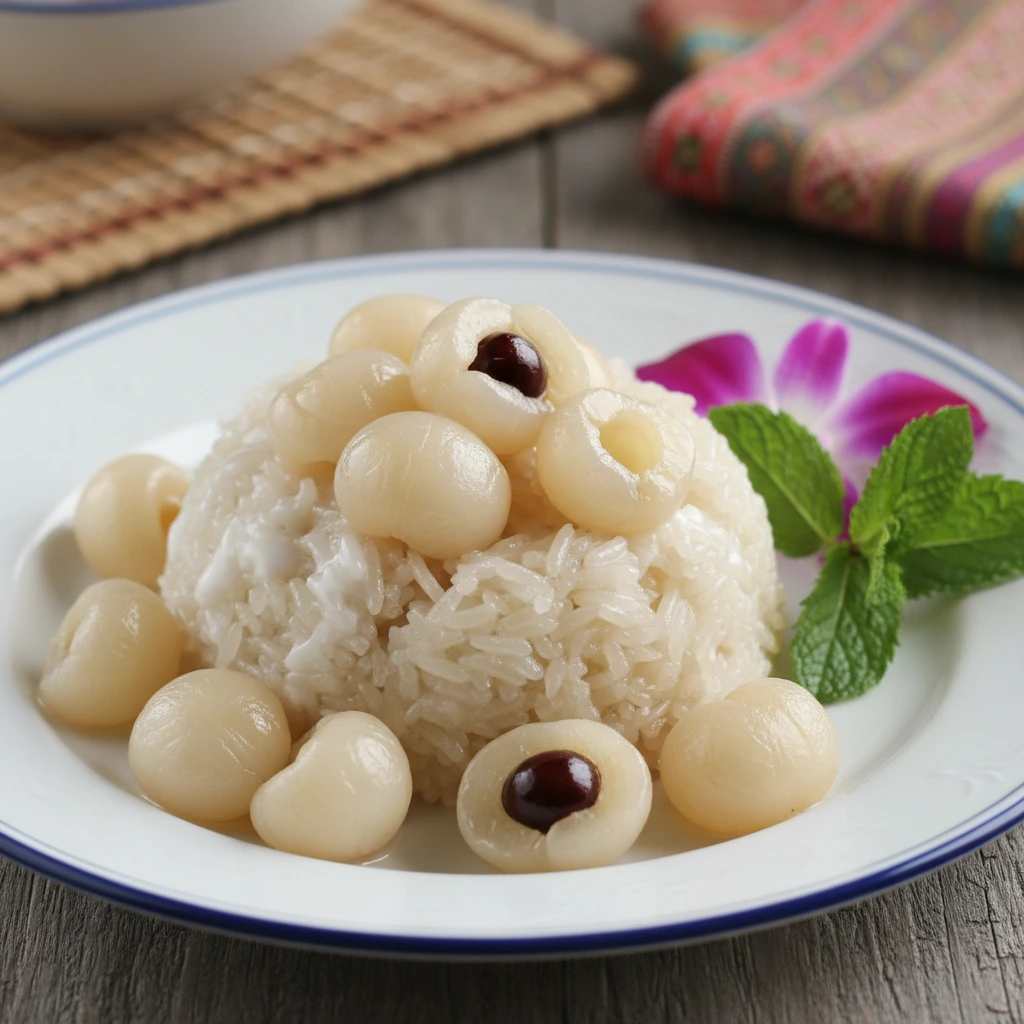
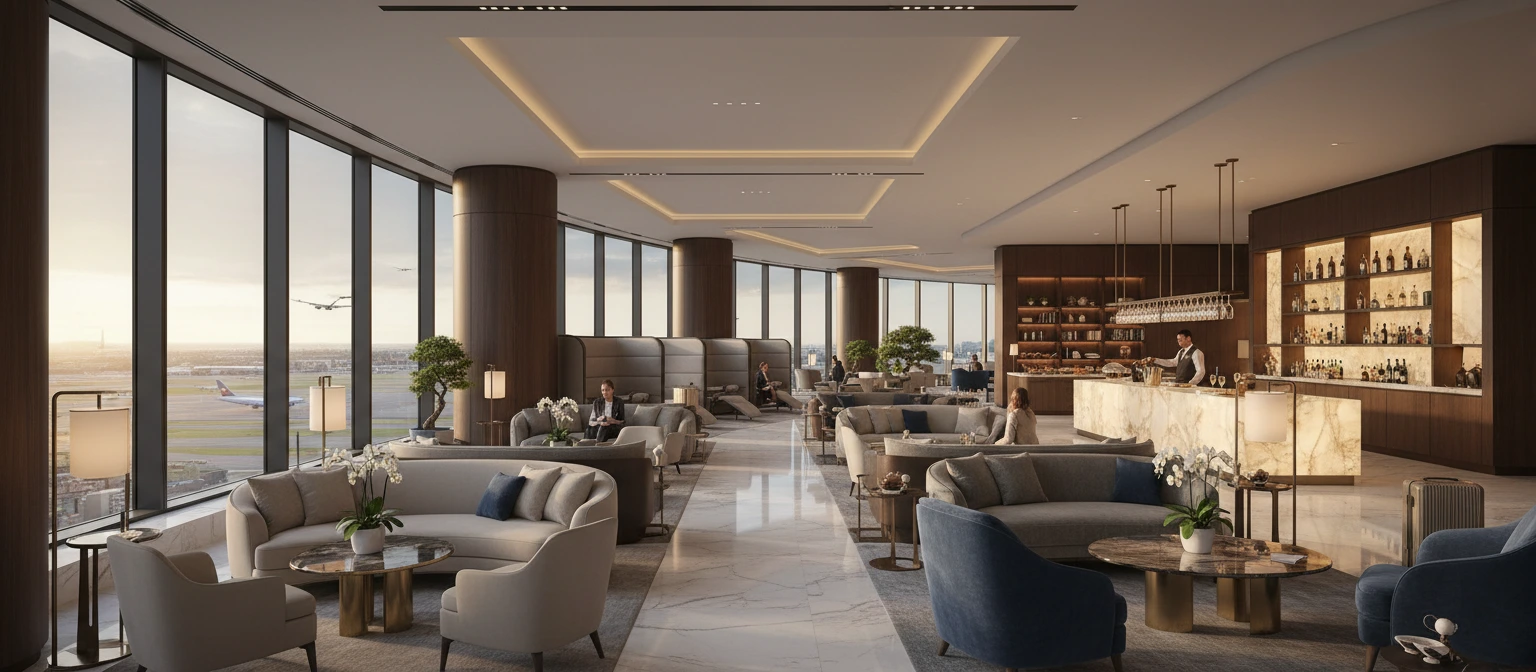
The meal photos make similar options easier to distinguish. For lounges, the interior image gives a sense of the place, while location, opening hours and access details sit next to the selection.
5 Designing the states
The first view is only one part of a component. I’m working through how it changes after selection, how much detail stays visible, and how someone gets back to editing.
In this AirHelp exploration, the plan and total become the main content after selection. The Added label confirms the choice. Benefits can expand within the card, and the edit action stays in the same place.
AirHelp card states
From discovery to a confirmed choice.Get compensated if your flight is delayed, cancelled, or disrupted.
- Up to $6,000 compensation
- 24/7 live chat support
- Specialists handle the entire process
From $8.90/person
Add to tripThe benefit comes before the action.
Purpose, a short benefit list and the starting price. Enough information to decide whether to look closer.
The visual details carry the behaviour
The service colours give each offer an identity, while typography and spacing keep their structure consistent. A selected state combines a label, a border and a change in content. It should remain understandable without relying on colour alone.
I’m reviewing those details across the page and the sheets, so the component works as part of the journey rather than only as an isolated frame.
6 Still in progress
The next part of the work is refining the combinations: different services, traveller counts, selected states and smaller screens.
For now, this is the part I can share: how I’m connecting decisions about the overall experience to the interaction and visual details. I’ll add more when the project is ready.
Nam Dang
Senior Product Designer