 Trip.com Group · FlightsLive ↗
Opening upEurope.
Helping travellers choose where and when to fly, on Trip.com’s first continent landing page.
Senior Product Designer · PPC launch, SEO next
Overview
- The problem
- Travellers searching by continent needed help choosing a city and travel dates. Trip.com had no page built for that intent.
- My responsibility
- Senior Product Designer. Research, responsive components and a coded handoff, with SEO, BI and engineers. Europe launched in August 2026.
- The key decision
- Use a 90-day fare outlook when historical data was unavailable. Keep deals, destinations and dates connected to a bookable search.
- What followed
- 30 bookings across 29 city pairs in the first two months. Flight-card clicks and mobile conversion remained priorities for improvement.
Cross-functional influence
The SEO team set the channel strategy, BI supplied the fare data, and I translated those constraints into the page and its components. I also built the HTML and CSS with Claude Code; engineers reviewed it and used it to begin the production implementation.
1 The first continent page
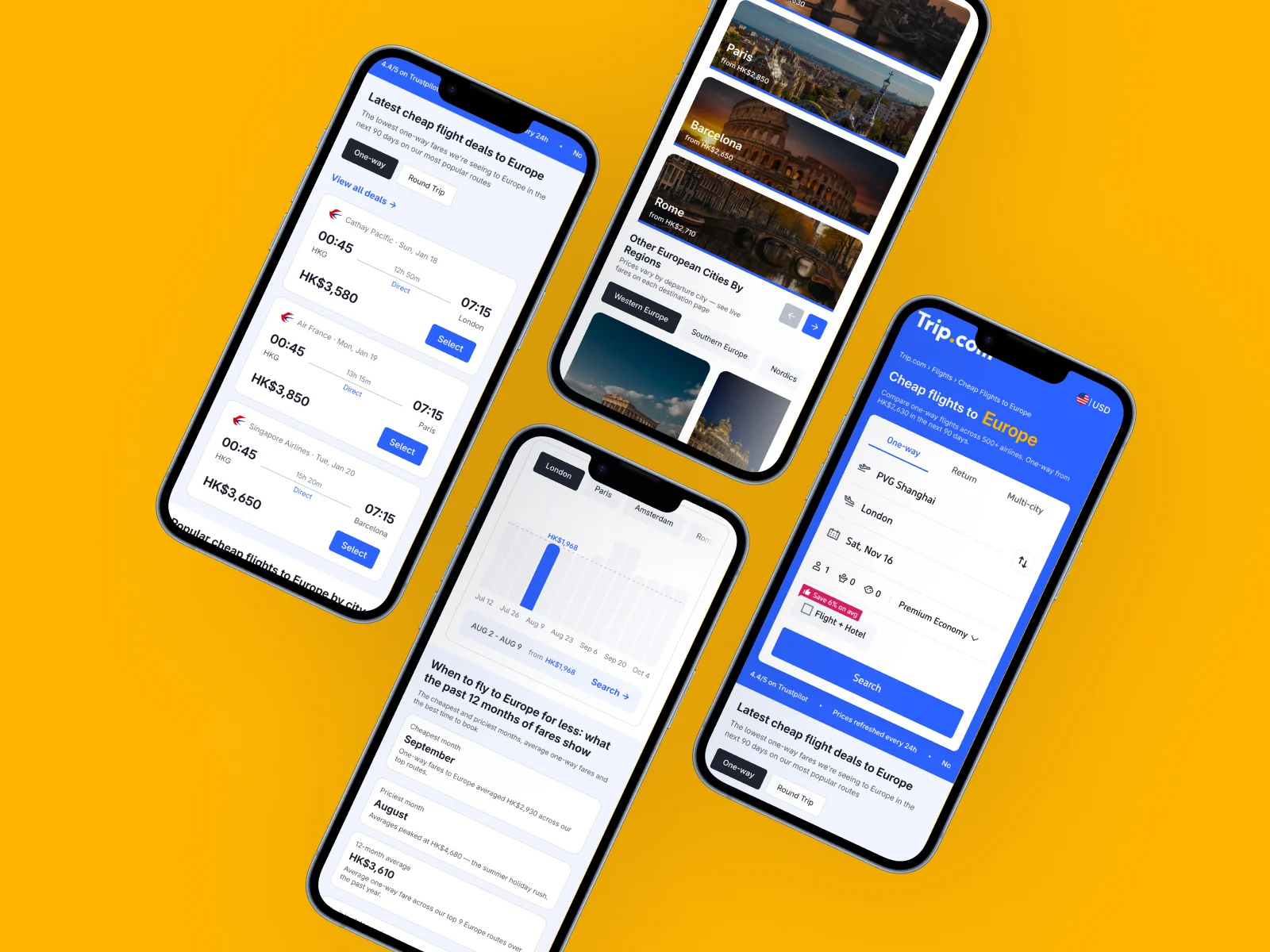
Trip.com already had landing pages for countries, cities and provinces. A search like “cheap flights to Europe” sat above all of them: the traveller knew the region, but might still be deciding where to land or when to go.
The research identified 438,000 daily continent-flight searches across five markets. Some included other continents as well as Europe. That was evidence of demand, not traffic we had already won.
With the IBU SEO team, I shaped a reusable page template around that intent. I treated Europe as the first instance of a new page type: the layout and behaviour needed to remain useful when the destinations and fares changed. Europe would launch through paid search, with a structure that could support organic search later.
Give people a way to choose
I compared five competing experiences, from metasearch to booking sites. The useful patterns were concrete: show a price early, keep search within reach, and help people browse destinations without making them read an undifferentiated list.
I organised the page around three decisions: which flight, which city, and which dates. Deals came first for people ready to book. City groups helped those still exploring. A price outlook gave flexible travellers a reason to adjust their dates.
That sequence was the product decision: accommodate different levels of intent within one page, while keeping a path to search close to each decision.
Make the details work as a system
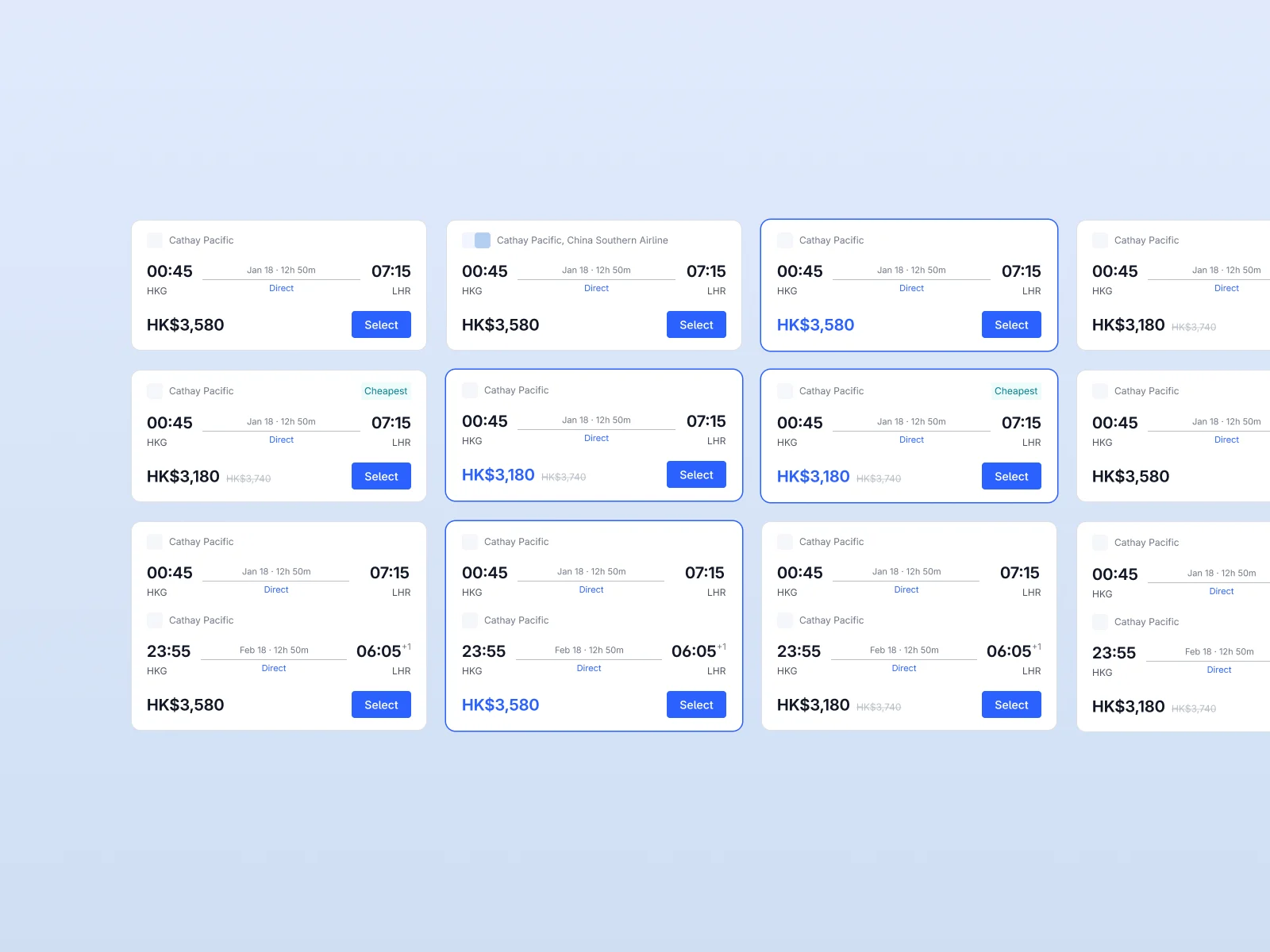
The flight card had to keep the essentials in the same place: carrier, time, duration and fare. I designed one-way and return variants, discounts, cheapest-fare states, and itineraries with multiple airlines.
Those variations became a component specification. The same rules could be carried through the page and into the code I later handed to engineering.
The visual hierarchy carries the decision. Times and fares lead; carrier and duration provide context. Cheapest and discount states add emphasis without changing the card’s anatomy. A return journey adds a leg while preserving the same reading order.
Let the data set the limits
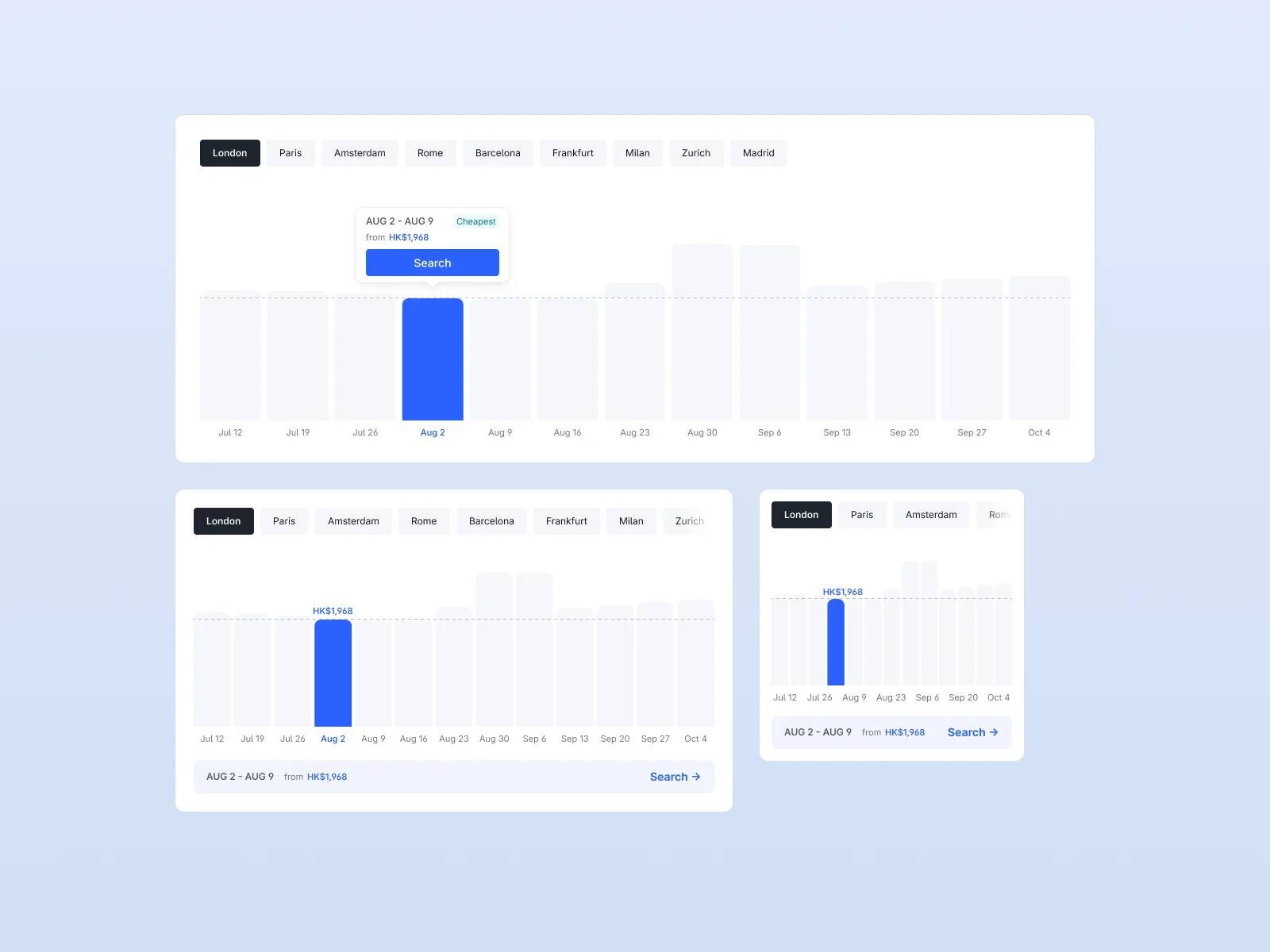
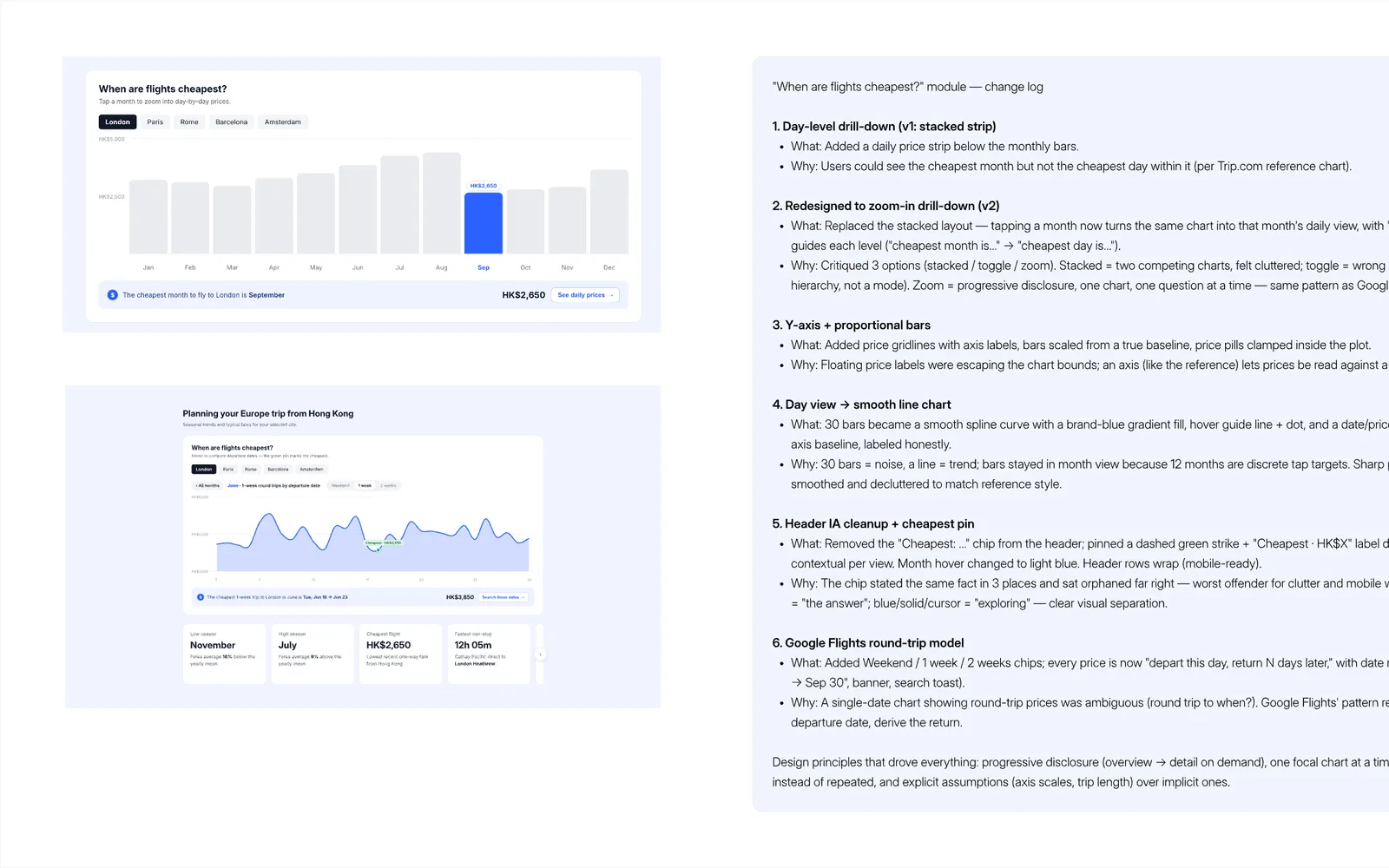
An early exploration used historical fares to explain the cheapest months to travel. BI confirmed that the available dataset covered the next 90 days, rather than the history that concept needed. I changed the outlook to use forward-looking weekly fares. The design had to answer a question the data could support.
Origin was another important constraint. A traveller flying from London should never see London promoted as a destination. I specified filtering the origin’s entire metro area before ranking destinations, so the hero price, flight cards and chart stayed consistent.
Design the behaviour at every size
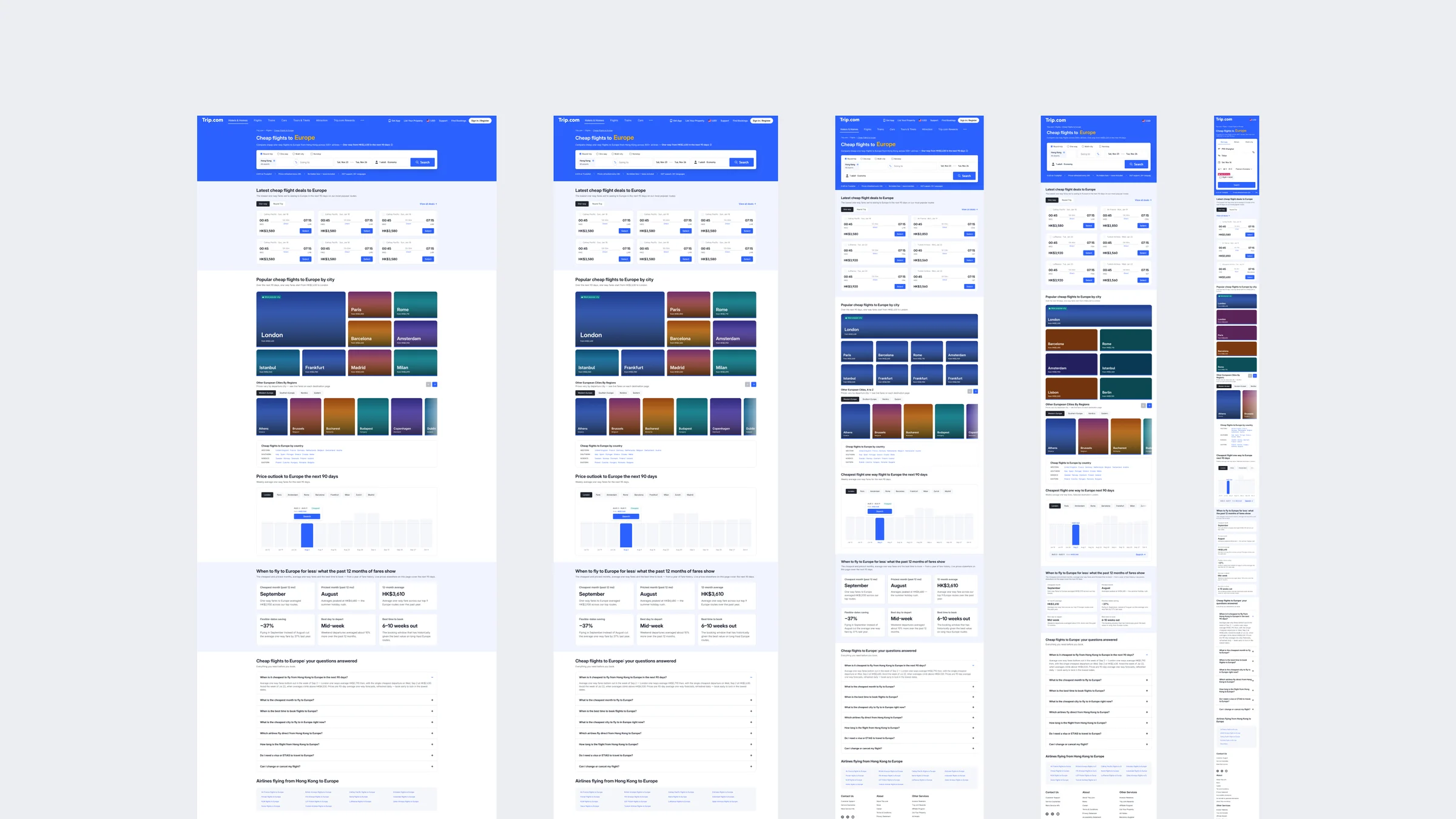
I worked through five page widths in Figma and defined how the components should adapt. On desktop, the chart can show a floating detail card. At smaller widths, the selected fare and action move below the chart, where they stay readable and easy to tap.
That work became especially valuable at handoff. The engineers later said the components helped with adaptive and responsive implementation because the sizes, interactions and breakpoints were already laid out.
PPC first, with room for SEO
The launch was driven by paid search. I kept the page useful beyond the ad click: descriptive headings, destination links and answers to the questions that come before booking. Those decisions also gave the planned SEO work a foundation.
Europe was the shipped starting point. The template separated the page’s structure from its continent, destination and fare data so it could support future launches.
2 From Figma to reviewed code
I used a working page to make the responsive behavior and interaction rules inspectable at handoff.
I owned the design decisions and the front-end handoff; engineers owned review and production implementation.
Start with the design in Figma
I established the page structure, component anatomy, sizes, interactions and responsive rules in Figma. That gave the build a clear design to follow and gave me a basis for checking what the AI produced.
I checked the generated output against those decisions before handing it over.
Use Claude Code to make it work
With Figma connected through MCP, I used Claude Code to turn the design into wireframes and working prototypes. I could try interactions, adjust the implementation and review a functioning page with the team.
The file preserves that work: a coded draft reviewed on 1 July, followed by chart iterations and a change log. The prototypes helped expose questions that static frames alone could leave unresolved. The July chart exploration shown below predates the confirmed 90-day data constraint.
Bring the code back into Figma
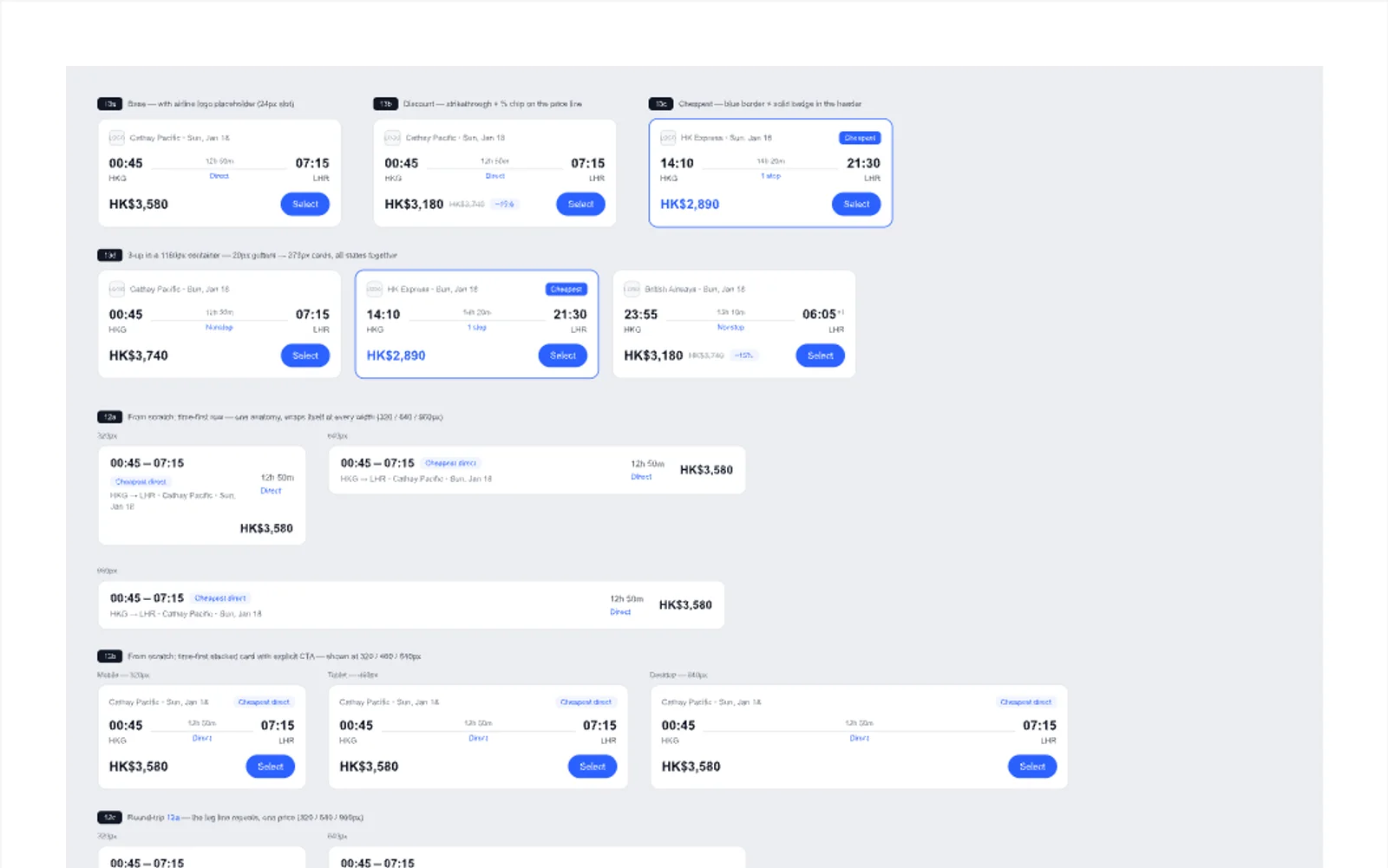
I imported the coded output back into Figma with html.to.design to check it against the intended design and Trip.com’s system. It also let the team review the work in the same place as the rest of the design.
The July imports include flight-card variants at several widths. I checked hierarchy, spacing and component behaviour, then carried the corrections into the next build.
Build for the engineers who would use it
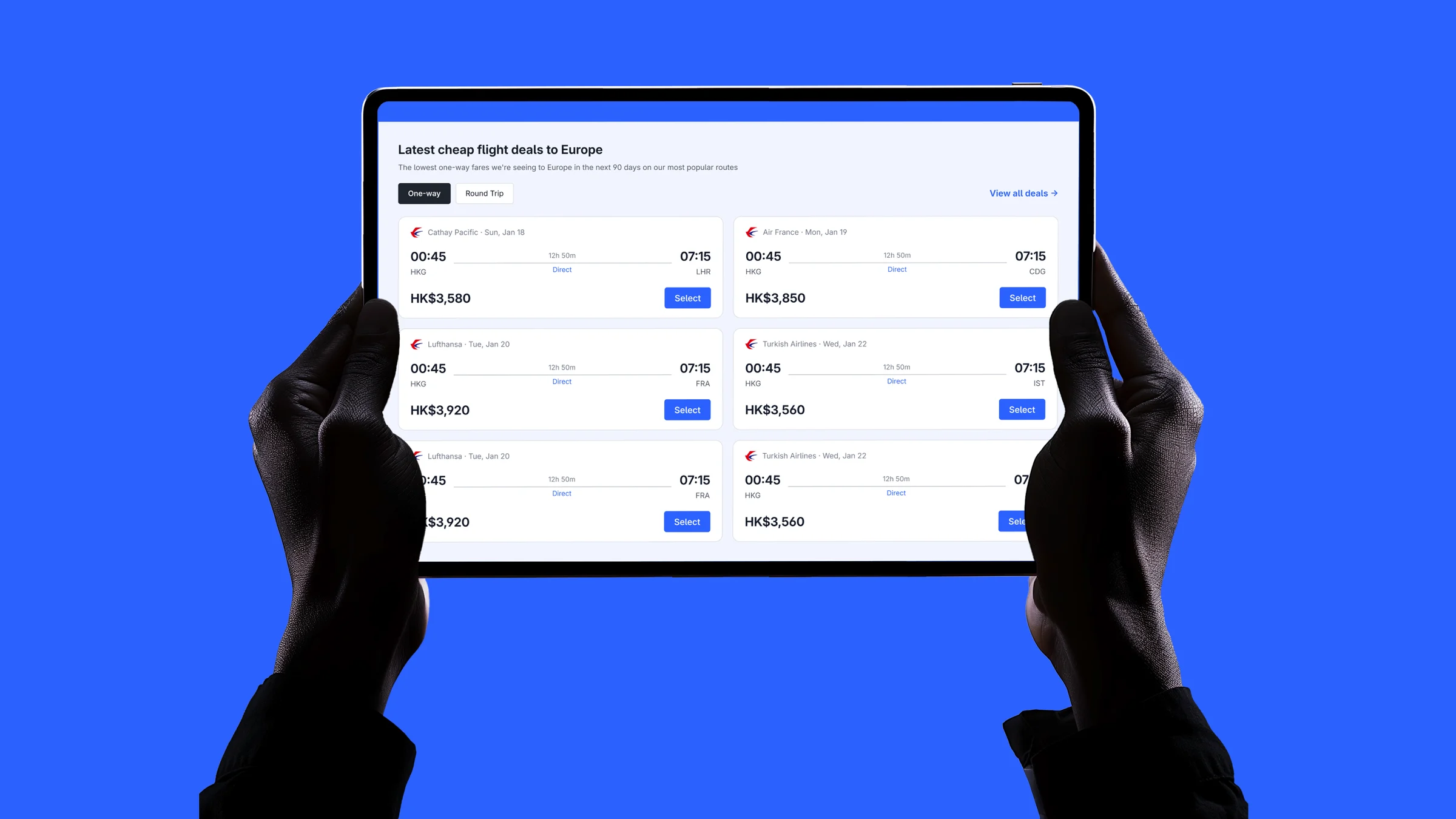
I built the page section by section and component by component, matching the example code the engineers shared. This made their implementation conventions part of the design process. The handoff was a zip containing the HTML and CSS, within the Astro project I used to assemble the page.
The engineers reviewed the code and used it to start building the live website and its components. The handoff now included how the layout should respond and behave, alongside the visual specification.
Their feedback was specific: the adaptive and responsive work helped. I had already made those decisions in Figma, then expressed them in working components.
What I would simplify next time
I spent tokens building in Astro that the engineers did not need. For this workflow, and for the code the company accepted from a designer, HTML and CSS were sufficient. Next time I would agree on that handoff format earlier and spend the saved effort on the components themselves.
The useful part of the AI workflow was making my design decisions tangible in code that engineering could inspect and reuse. Its quality still depended on the structure, interactions and breakpoints I had worked out first.
What shipped, and what followed
The Europe page launched on Trip.com. The first two months brought bookings and early evidence of value, alongside a clear need to improve mobile conversion.
View the Europe page on Trip.com ↗US English experience; availability varies by locale.
The first 30 flight bookings
Weekly cumulative bookings · 18 Aug–18 Oct 2026
- flight bookings in two months
- 30
- city pairs booked
- 29
- paid visitors over two months
- 2,100
Curve connects weekly totals. Counts are booking orders, including later refunds and cancellations, with same-day attribution.
Flight cards need a stronger next step.
Desktop flight-card click-through rate
The Europe page’s cards drew fewer clicks than the comparison pages. Next: test the card content, fare hierarchy and call to action.
More visitors started a search.
Desktop PPC · Report through 18 Oct 2026
+8.8 percentage points after 17 September, among visitors shown the form. An observed change, not a controlled experiment.
Most mobile traffic was Japanese. Review this flow before expanding the template.
The next design questions
How can the flight cards turn more desktop attention into searches? What is preventing mobile visitors from booking? Those questions would guide the next round, while SEO and additional continent launches remain future work.
What I’m taking forward
This project gave Trip.com a new page type and gave me a way to contribute further into implementation.
Europe was the first instance of a reusable continent template. The AI workflow let me carry the design through working prototypes, Figma checks and code that engineers reviewed and reused.
I would keep that loop and simplify the handoff. Resolve the design, build enough to make its behaviour clear, and deliver the HTML and CSS engineering actually needs.
Nam Dang
Senior Product Designer